Chapter I. Unified Boot Option ROM
Chelsio Unified Boot 10
For Chelsio adapters, the physical functions are currently assigned as:
Physical functions 0 - 3: for the SR-IOV functions of the adapter
Physical function 4: for all NIC functions of the adapter
Physical function 5: for iSCSI
Physical function 6: for FCoE
Physical function 7: Currently not assigned
xiv. Based on the operating system, install the appropriate network driver. Install and load cxgb4
for Linux systems, VBD and NDIS for Windows systems, and cxl for ESXi systems.
xv. Finally, verify if the card is discovered:
• For Linux systems, examine the output of dmesg and you should see a similar
output:
The above output indicates the hardware configuration of the adapters as well as the
Serial numbers.
• For Windows systems, open Device Manager again. Expand Network adapters
section and now Chelsio adapter should be listed.
• For ESXi systems, examine the output of dmesg and you should see a similar
output:
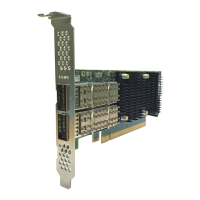
Network device names for Chelsio’s physical ports are assigned using the following
convention: the port farthest from the motherboard will appear as the first network
interface. However, for T5 40G adapters, the association of physical Ethernet ports
and their corresponding network device names is opposite. For these adapters, the
port nearest to the motherboard will appear as the first network interface.


 To Next Page
 Loading...