11
9-3 Menu congurations
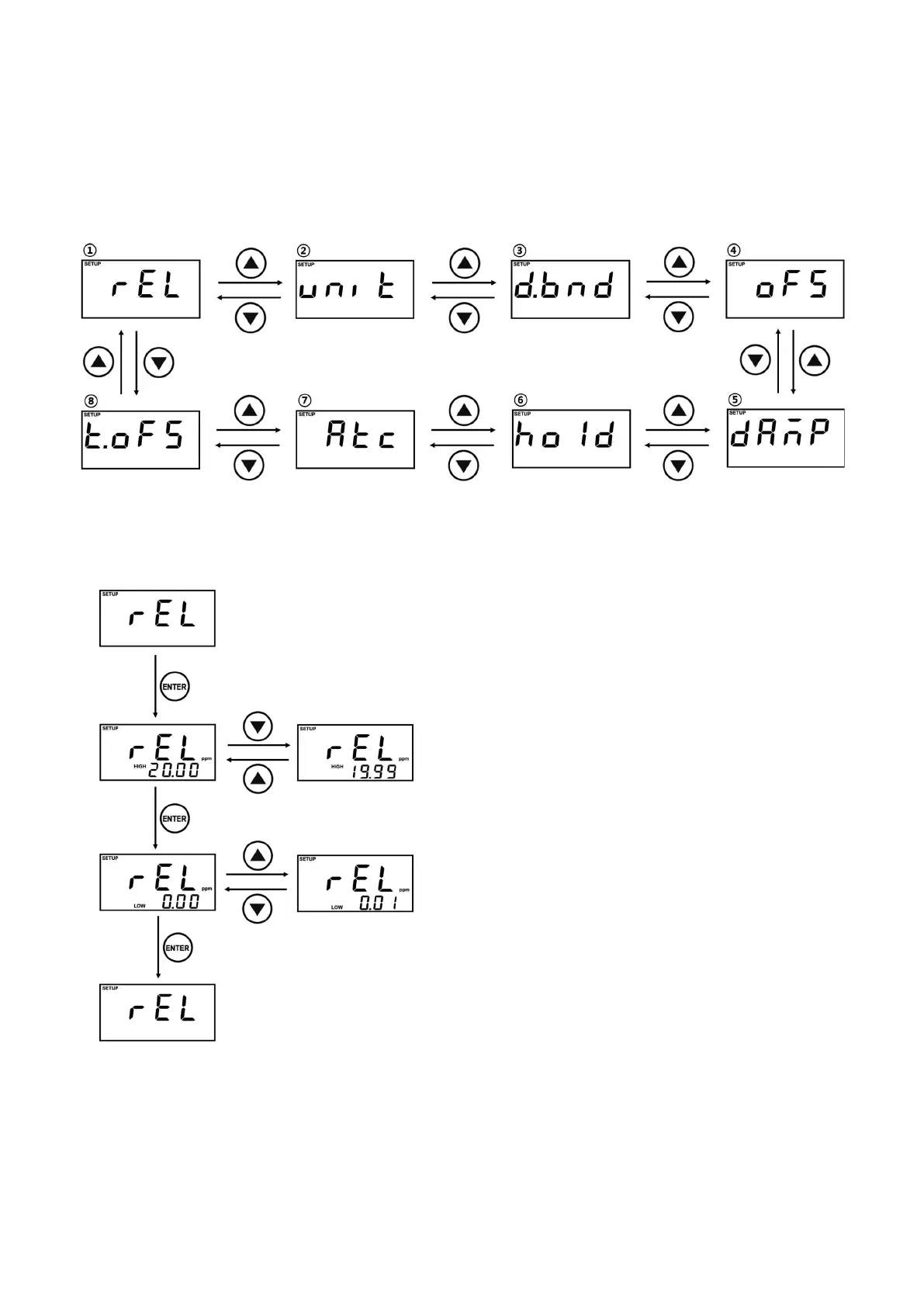
Menu congurations support 8 setup menus as shown below. Can change the menu by
▲
&
▼
key after
entering the Menu mode and can enter the setting display by ENTER key.
In case of each setting method, refer to the setting page(9-4 ~ 9-11) of the corresponding menu.
9-4 Alarm Setting
rEL is Alarm setting menu.
Present Alarm setting value is displayed, while you
enter the Setting display.
Alarm setting value can be changed by
▲
,
▼
Keys
(Unit : 0.01ppm, Max. : 20.00ppm)
Finish the setting by pressing the Enter key
Set the HIGH Alarm setting and then the LOW Alarm
setting.
The HIGH Alarm value cannot be set lower than the
LOW Alarm value, and the LOW Alarm value cannot
be set higher than the HIGH Alarm value.
Dead band setting value is reected to Alarm setting
value. (Refer to “9-6: Dead Band Setting" )
Ex) When 0.30ppm of Dead band & 2.00ppm of
HIGH Alarm are set, 1.70ppm or higher cannot
be set as LOW Alarm.
Generating condition of alarm
•
HIGH Alarm : HIGH Alarm setting value –
Measured value ≤ 0
•
LOW Alarm : LOW Alarm setting value –
Measured value ≥ 0
※
In case of Dead band setting and its corresponding
operation, refer to “9-6 Dead Band Setting”.



 To Next Page