12
9-5 Unit Setting
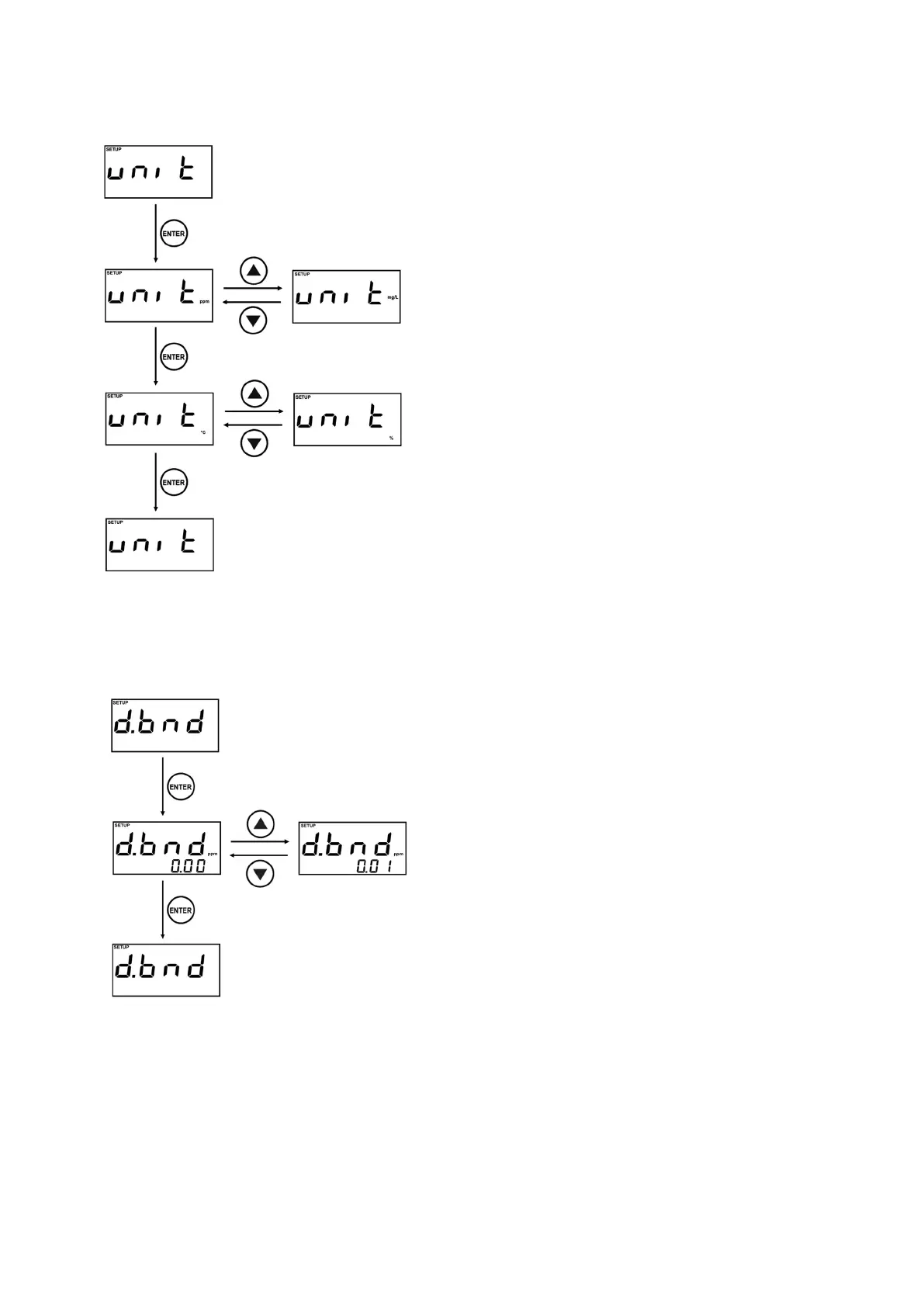
unit is Unit setting menu.
Present set unit is displayed, while you enter the Setting
display.
You can change the unit by using the
▲
and
▼
keys.
Set the unit of the main screen and then that of the
secondary screen.
Three types of unit(ppm, mg/L, and %) are provided on
the main screen.
Three types of unit(℃, %, ℉) are supported on the
secondary screen.
※
When the main screen has the unit shown to be “%”,
the secondary screen can't have the “%” unit (unable to
set the same unit).
※
When the unit is changed, such settings as dead band,
offset, damping value, and temperature offset will be
initialized.
9-6 Dead band setting
d.bnd is Dead band setting menu.
Present set value is displayed, while you enter the
Setting display.
Dead band value can be changed by
▲
,
▼
Key.
Finish the setting by pressing the ENTER key.
The band can be set up to a maximum of 1.00ppm
(0.30%). The alarm will occur as shown below
example.
Ex) When setting of 0.10ppm
•
When Setting value of HIGH Alarm is 10.00ppm.
: If measured value is 10.10ppm or over, HIGH
Alarm will occur, and, if measured value become
less than 9.90ppm, HIGH Alarm will be off.
•
When Setting value of LOW Alarm is 1.00ppm.
: If measured value is less than 0.90ppm, LOW
Alarm will occur, if measured value become
1.10ppm or over, LOW Alarm will be off.
※
Dead band setting value can not be set within the difference range of HIGH Alarm and LOW Alarm. (Refer
to " 9-4 Alarm Setting" )
Ex) When 1.50ppm HIGH Alarm and 1.00ppm of LOW Alarm are set, 0.50ppm or higher can not be set as
Dead band.



 To Next Page