13
9-7 Offset setting
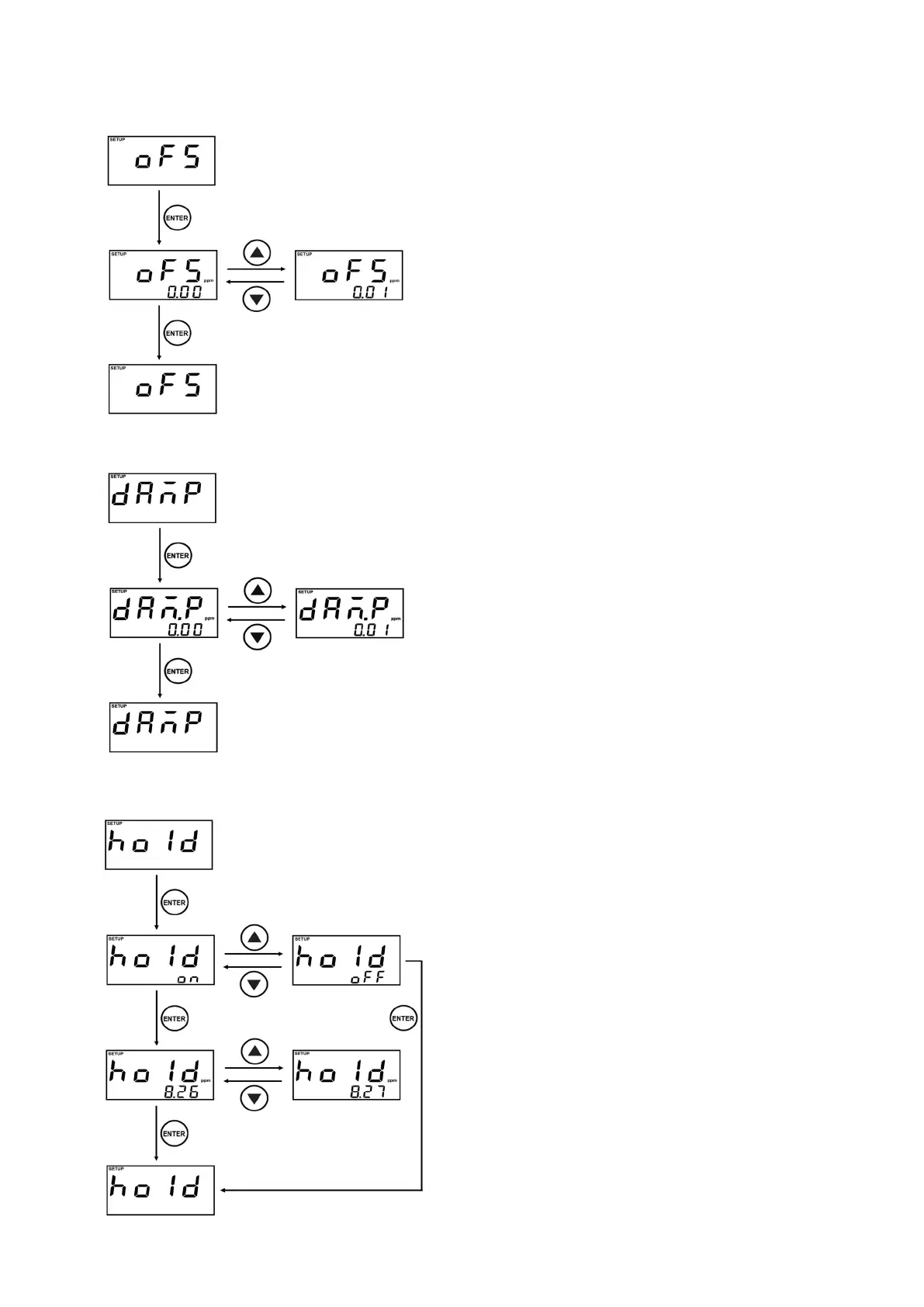
oFS is Offset setting menu.
Present set value is displayed, while you enter the
Setting display.
Offsetting value can be changed by
▲
,
▼
Key.
Finish the setting by pressing ENTER Key.
The offset can be set within a range of –1.00
~1.00ppm. (-0.30% ~ 0.30%)
The measured value is displayed after offsetting it as
much as setting value.
9-8 Damping setting
dAn
-
P is Damping setting menu.
Present setting value is displayed, while you enter
the Setting display.
Damping value can be changed by
▲
,
▼
Key.
Finish the setting by pressing ENTER Key.
The damping value can be set within a range of
1.00ppm. (0.30%).
The measured value is displayed after damping it as
much as setting value.
9-9 Hold Setting
hold is menu for xing the measured value.
You can select whether to hold the measured value
or not, after entering the Setting display.
on or oFF can be changed by
▲
,
▼
key.
When selecting oFF, setting is immediately
completed.
When selecting on, the value to set is displayed.
The setting value can be changed by
▲
,
▼
key.
(Unit : 0.01ppm, Range : 0.00~20.00ppm)
Finish the setting by pressing ENTER Key.
The setting value is displayed as the measured
value and HOLD status is displayed.
※
If the hold setting value is higher than the setting
value of HIGH Alarm and lower than the setting
value of LOW Alarm, alarm will occur but it will be
not effected by Dead band.
※
It is impossible to enter the calibration mode, when
the measured value is hold state.



 To Next Page