12
1 Before you begin ...
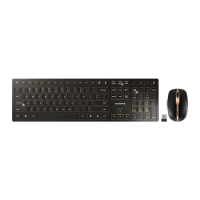
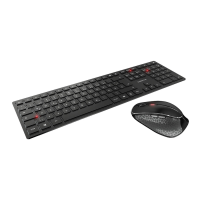
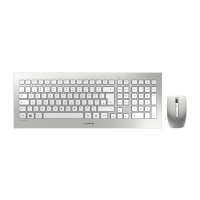
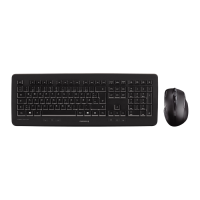
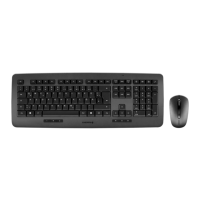
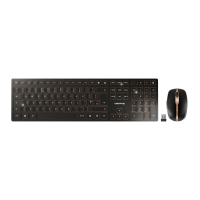
The CHERRY DW 9000 SLIM is a combination
of a wireless keyboard and mouse for
operating PCs and laptops.
It is characterized by the following features:
• Switchable transmission via Bluetooth (4.0)
or wireless (2.4 GHz)
• Built-in lithium-ion battery for charging via
USB cable during operation
• Exceptionally compact, flat keyboard
housing
• Abrasion-proof laser key cap lettering
• Adjustable resolution/speed for precise
working with the DPI switch on the top of the
mouse (600/1000/1600 dpi)
For information on other products, downloads
and much more, visit us at www.cherry.de.
Every device is different!
The operating instructions contain
information on effective and
reliable use.
• Read the operating instructions carefully.
• Keep the operating instructions and pass
them on to other users.
2 General safety
instructions
WARNING: Risk of choking from
swallowing small parts
• Keep the devices out of the reach of
children under 3 years.
NOTICE: The magnet in the mouse
can wipe storage media and
damage mechanical watches
On the bottom of the mouse there is a
magnet for holding its receiver.
• Do not put any storage media such as SD
cards or external hard drives, or
mechanical watches near the mouse.
3 Connecting the devices
to a PC or laptop
You can connect the devices to the PC or laptop
via Bluetooth or via a 2.4 GHz wireless
connection using the receiver.
A Bluetooth connection is convenient if you
want to use the devices on several PCs or
laptops: You only need to connect once and do
not need the receiver.
Battery charge status
The batteries in the mouse and
keyboard are already charged. You
can use the devices immediately.
• Before first use, however, we recommend
that you charge them fully with the cable
supplied (see 6 "Charging the devices").
OPERATING MANUAL
CHERRY DW 9000 SLIM – Wireless Desktop with Bluetooth
®
and RF Transmission
EN
64410032-00_DE-EN-FR-ES-IT-NL_DW9000Slim.fm Seite 12 Montag, 3. September 2018 8:03 08


 To Next Page