15
7 Switching the devices
on and off
When not in use, the devices switch to sleep
mode, which requires much less power. They
switch on again automatically as soon as you
press a button.
Because they still consume some power in
energy-saving mode, you should switch them
off manually for extended periods of non-use
or for transporting.
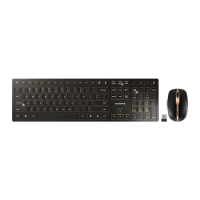
• Slide the switch on the back of the keyboard
or the bottom of the mouse to the
appropriate position:
Off = mouse off / keyboard in middle position
On (wireless) = RF
On (Bluetooth) = BT
Wake-up function with Bluetooth
If your PC/laptop is in standby
mode, it cannot be woken up using
Bluetooth devices.
8Tips
8.1 Cleaning the devices
1 Switch the devices off.
2 Clean the devices with a slightly damp cloth
and some mild cleaning agent (e.g.
dishwashing liquid).
3 Dry off the devices with a soft, lint-free cloth.
8.2 RSI syndrome
NOTICE: Damage may be caused
by harsh cleaning agents or liquids
in the devices
• Do not use solvents such as gasoline or
alcohol and scouring agents or scouring
sponges for cleaning.
• Prevent liquids from entering the devices.
• Do not remove the keycaps of the
keyboard.
RSI stands for "Repetitive Strain
Injury". RSI arises due to small
movements continuously repea-
ted over a long period of time.
Typical symptoms are discomfort in the
fingers or neck.
8.3 Troubleshooting
• Switch the devices off and on again.
• Charge the devices via the charging cable
(see 6 "Charging the devices").
• When connected via Bluetooth: Disconnect
the mouse/keyboard in the Bluetooth
software and add it as a new device.
• When connected via the receiver: Connect
the receiver to another USB port on the PC/
laptop.
• Set the option "USB Keyboard Support" or
"USB Legacy Mode" to enabled in the BIOS
of the PC.
• Set up your workspace ergonomically.
• Position the keyboard and mouse in such a
manner that your upper arms and wrists
are outstretched and to the sides of your
body.
• Take several short breaks, with stretching
exercises if necessary.
• Change your posture often.
EN
64410032-00_DE-EN-FR-ES-IT-NL_DW9000Slim.fm Seite 15 Montag, 3. September 2018 8:03 08


 To Next Page