1
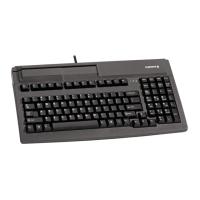
MultiBoard
G8x-7xxx/-8xxx
PS/2 Models
1 Advantages
• Cherry MX key technology with Gold Crosspoint
contacts (G80)
• Cherry FTSC key technology (G81)
• Robust and reliable
• Programmable keyboard
• Programming can be selected – manually or via
software macros
• Integrated memory
• UnifiedPOS supported (OPOS/JavaPOS)
Available in two different sizes:
• Standard format: 8xxx series
• Compact format: 7xxx series
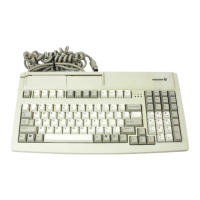
Alongside the functions of a standard keyboard,
the MultiBoard keyboards offer the following
additional functions depending on the model:
• Magnetic card reader
• Barcode decoder
• Touchpad
• Additional keys (extended layout)
• Inscribable keys
2 Connecting the keyboard
1 Shut down the system.
2 Insert the PS/2 plug(s) into the corresponding
system ports.
3 Restart the system.
3 Magnetic card reader
The magnetic card reader reads all cards written
with data conforming to DIN ISO 7811/12, Gemini,
AAMVA and JIS. Tracks can be read individually,
in pairs or all together. The data is converted into
corresponding key codes and is transferred to the
system via the PS/2 port.
Using the magnetic card reader
1 Insert magnetic card into the right-hand side of
the magnetic card reader with the magnetic
strips downward and facing toward the
keyboard.
2 Swipe magnetic card through the magnetic card
reader to the left.
An audible tone (beep) confirms a valid reading
for each track.
You can configure the tone using the
Cherry Tools software: Switch the valid reading
signal on/off.
4 Barcode decoder (optional)
Certain keyboard models come with an integrated
barcode decoder. You can connect up to two
reading devices to these keyboards using the
following external ports (barcode scanner not
included in scope of delivery):
Barcode ports on the keyboard:
• 9-pin DE9 D-sub connector (barcode 1) on the
rear
• 6-pin DIN socket (barcode 2) on the right-hand
side
User Manual
6440552-00 US, CN Apr 2009

 Need help?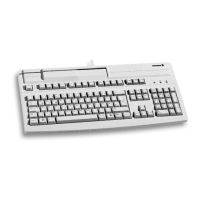




 To Next Page
 General