4
If the entry is correct, a short beep is emitted. If
the entry is incorrect, a long beep is emitted.
5 Enter the header/terminator sequence if
necessary.
After entering the string, press the Enter key on
the numeric keypad.
6 Continue with the configuration or exit
configuration mode by pressing the spacebar.
A double beep is emitted as confirmation.
Provided you have activated this option, MENU
EXIT is displayed in the editor.
Example 1: Magnetic card reader, activating
track 1
1 Start a text editor.
2 Select configuration mode.
3 Press the J, 1, Y keys followed by the
spacebar.
Example 2: Magnetic card reader, track 1,
defining and activating the header
1 Start a text editor.
2 Select configuration mode.
3 Enter the sequence V, 5 followed by the
required string (for example MSRH1), press the
Enter key on the numeric keypad and then
press the spacebar.
8.2 Configuring keys
1 Launch a text editor such as Notepad or Word
so that you can keep track of any input or output
on the monitor.
2 Only use the number keys on the keyboard
block, not those on the numerical keypad.
3 Select configuration mode by pressing the six
modifier keys simultaneously for at least three
seconds: left Shift key, left Ctrl key,
left Alt key, right Shift key, right Ctrl key,
right Alt Gr key.
A double beep is emitted to confirm that you are
now in configuration mode. A menu is displayed
in the editor.
4 Press the key to be configured.
You can configure any key that is not part of the
keyboard block (alpha field).
5 Enter the string/key combination.
6 To complete the configuration, press the
configured key again.
If the entry is correct, a short beep is emitted. If
the entry is incorrect or the maximum storage
capacity has been reached, a long beep is
emitted.
7 Press the next key to be configured or exit
configuration mode by pressing the spacebar.
A double beep is emitted as confirmation.
Example: Assigning a string to the "Pause" key
1 Start a text editor.
2 Select configuration mode.
3 Press the Pause key followed by the required
string (for example 0815), press the Pause key
again and then the spacebar.
8.3 Resetting the configured key to the
basic setting
1 Start a text editor.
2 Select configuration mode.
3 Press the configured key twice.
4 Exit configuration mode by pressing the
spacebar.
9 Manual configuration
(MY 8300 model)
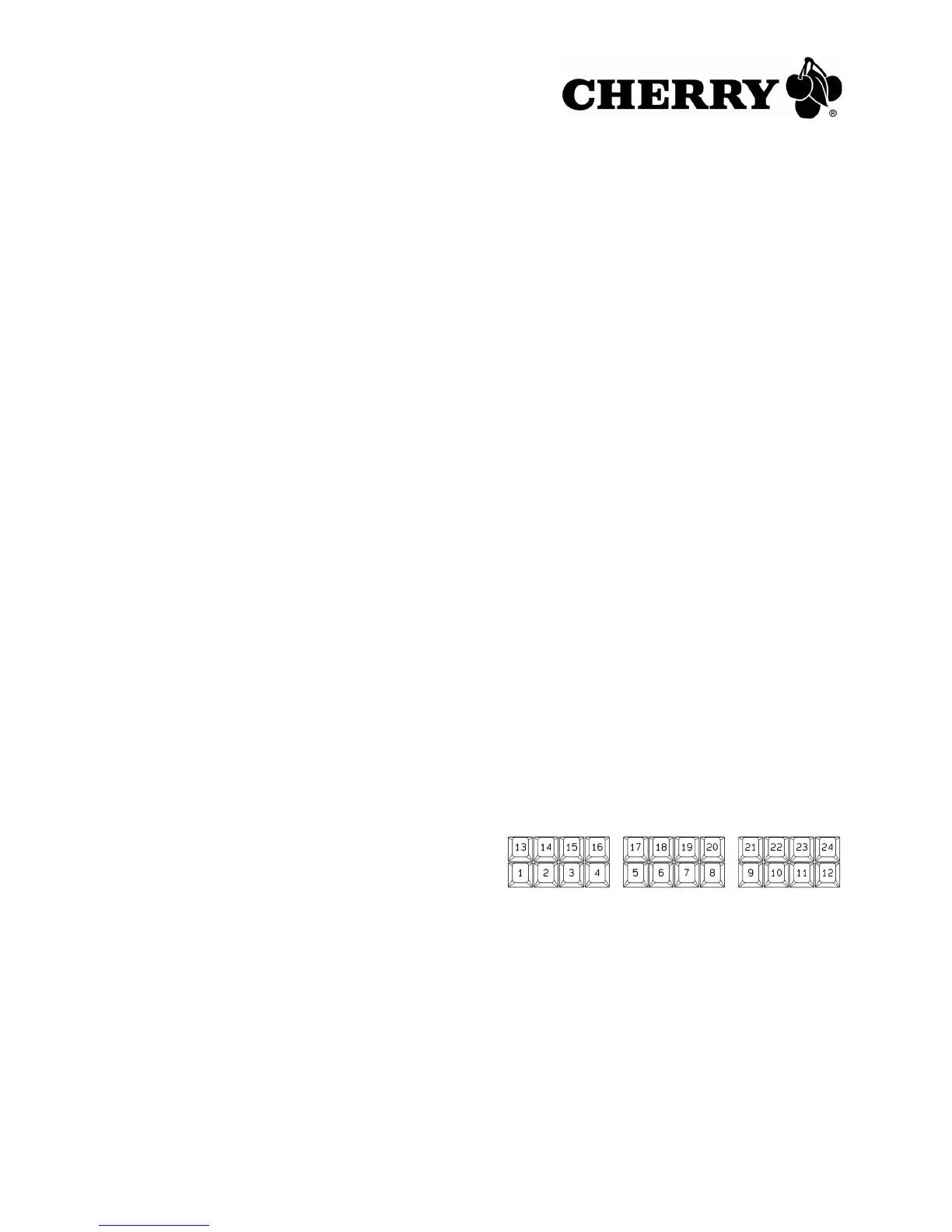
You can assign any key combinations to each of
the 24 programmable function keys (PF) with a
max. of 10 layers (240 configuration spaces).
The active layer (0 to 9) appears on the seven-
segment display.
9.1 Permanently switching a layer
1 Press the Layer key.
The display starts to flash.
2 Select the layer using the keys F1 to F10:
Layer 0: F10 key
Layer 1 to 9: F1 to F9 key





 To Next Page