A2500
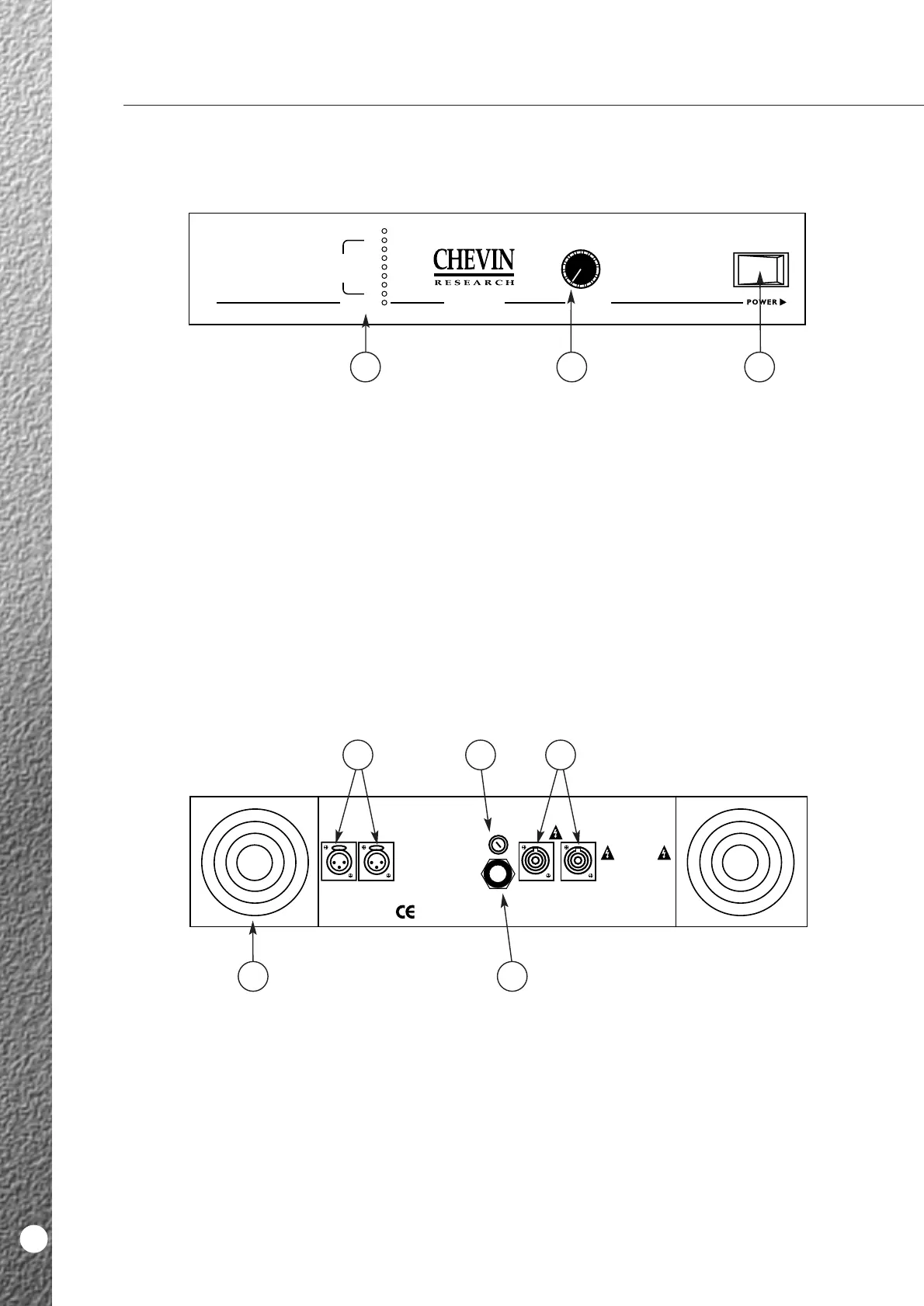
1 Power Switch.
This controls the mains power supply.
2 Output Control.
This controls the output level or gain.
3 Output Bargraph.
■ Power LED: The bottom green LED. It
illuminates when the unit is ON.
■ Output Voltage LEDs: The column of green LEDs
above the Power LED.These give an indication of
output voltage. Output power will be determined
by load impedance. Illumination of the 70V LED
indicates imminent clipping.
■ Clip LED: The top red LED. It illuminates when
the amplifier is being driven into clip and indicates
that the SoftClip system is active. If the Clip
threshold is exceeded, the intensity of this LED
provides an indication of the degree of overdrive.
A2500
10
1 Variable Speed Fans.
The fans run when the amplifier is switched on.
They spin at variable speeds depending
on the level of signal and ambient temperature.
2 Mains Input.
Mains input is via a fixed, high current 3-core mains
cable. Wiring is as per standard European colour
coding.
3 Mains Fuse.
Correct fuse rating indicated on the back panel
legend.
4 Output Connectors.
Two Neutrik Speakon sockets.
5 Input Connectors.
One male and one female XLR connector, wired in
parallel with each other. They may be used in
balanced or unbalanced mode. Pin wiring indicated
on the legend.
FRONT PANEL
BACK PANEL



 To Next Page