USE OF REMOTE CONTROLLER
OPERATING MACHINE IN SELECTED MODES
1. Point the remote controller at the unit, press the ON/OFF button, then press the MODE button,
select the needed mode: ATUO, COOL,DRY,HEAT, or FAN.
2. Press the SET TEMPERATURE button to increase or decrease the readings until the needed
temperature is displayed. The room set temperature range is from 16°C-32°C (61° F-90°F).
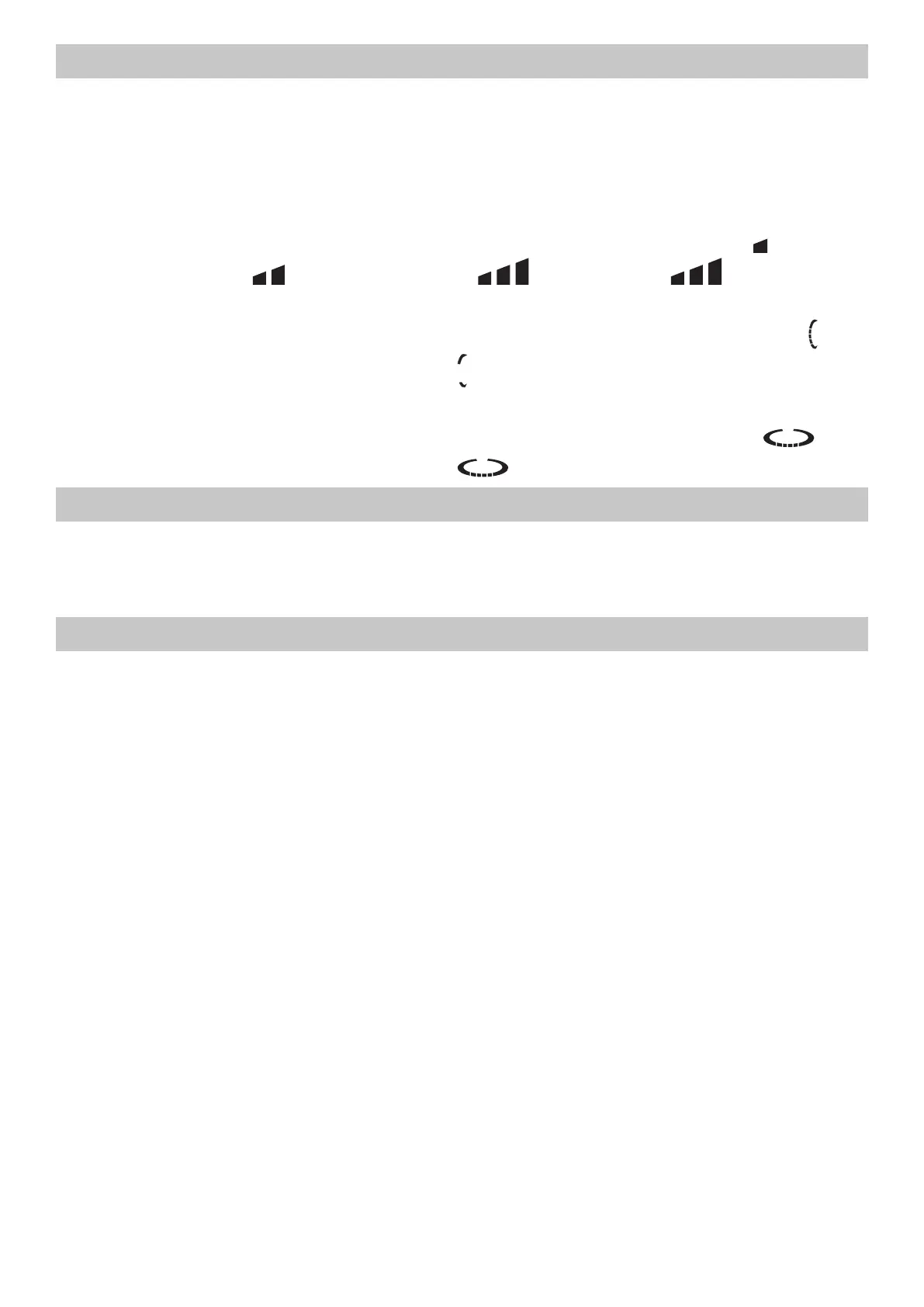
3. Press the FAN SPEED button to choose the air rate you want: Low(display indicates “,
“,Med(display indicates “ “, ,Hi(display indicates” , “, Auto ( display” , ” dicator flashing).
(It would be automatically set at low speed and unadjustable in DRY mode).
4. Press the SWING button to choose the up/down air flow direction you want:swing(display “
“indicator flashing),fixed wind(display indicates “ “).(It would be automatically set at fixed wind air
flow direction in DRY mode.)
5. Press the AIR FLOW button to choose the left/right direction you want: swing(display”
“indicator flashing), fixed wind (display indicates “ “).
TURBO OPERATION
Press TURBO button during COOL or HEAT operation, the air rate can be setted in HIGH. Press the
TURBO button again can release the TURBO operation.
Note: during TURBO operation, the air rate cann’t be changed.
TIMER OPERATION
Set turning o time. Set the time for the unit to turn o and when it is time, the air conditioner will
automatically stop operating.
1. During the operation of the air conditioner, press the TIMER button and the air conditioner will
enter the timed switch-o mod.
2. Continuely press the TIMER button to set the needed time for switching o the machine. The timer
can make the settng in the range from 1-24 hours. Every the button is pressed, indication change is
the following sequence:12……24cancel(no indication)1.
3. After the setting of the timed switch-o, the digits shown on the display screen will go down by 1
for every elapsed hour. The displayed digits indicate the remaining time prior to the timed switch-o.
Set turning on time Set the time for the unit to turn on and when it is time, the air conditioner will
automatically start operating.
1. When the air conditioner is in the standby mode, press the TIMER button and the air conditioner
will enter the timed switch-on mode
2. Continuely press the TIMER button to set the needed time for switching on the machine. The timer
can make the setting in the range from 1-24 hours. Every the button is pressed, indication change is
the following sequence:12……24cancel(no indication)1.
3. After the setting of the timed switch-on, the digits shown on the display screen will go down by 1
for every elapsed hour. The displayed digits indicate the remaining time prior to the timed switch-on.
Releasing procedure. When the indication on display screen is 24 hour, press the TMER button again
to delete the timed mode.




 To Next Page