Inspection
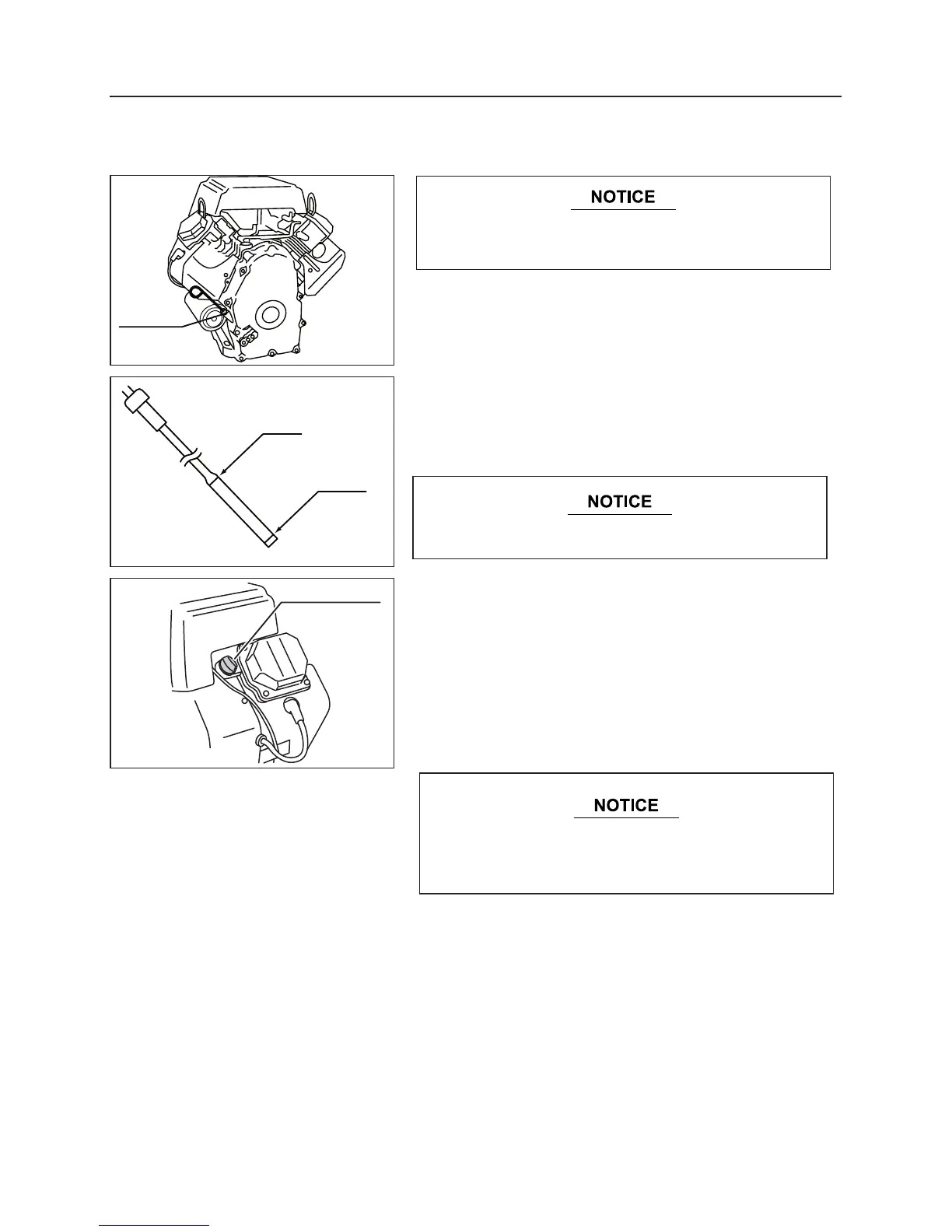
1. Open the engine cover, and support it firmly with the
stopper to prevent it from closing.
2. Extract the oil dipstick, and wipe off oil with clean cloth.
3. Insert the oil dipstick, extract it again, and check that the
engine oil level is between "the upper limit" and "lower
limit" positions on the oil dipstick.
Adding Oil
1. Open the engine cover, and support it firmly with the
stopper to prevent it from closing.
2. Remove the oil cap, and fill with specified amount of oil.
3. Install the oil cap firmly.
Oil to use, Oil amount : See page 28
Operation
After checking and refilling are completed, carefully
close and tighten the oil gauge.
5313M-0601-040
5313M-0601-050
5313M-0601-060
If engine oil is low, open the oil tank cap, and add oil.
Always inspect and replenish engine oil firm level
ground .


 To Next Page