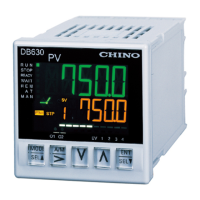
E5
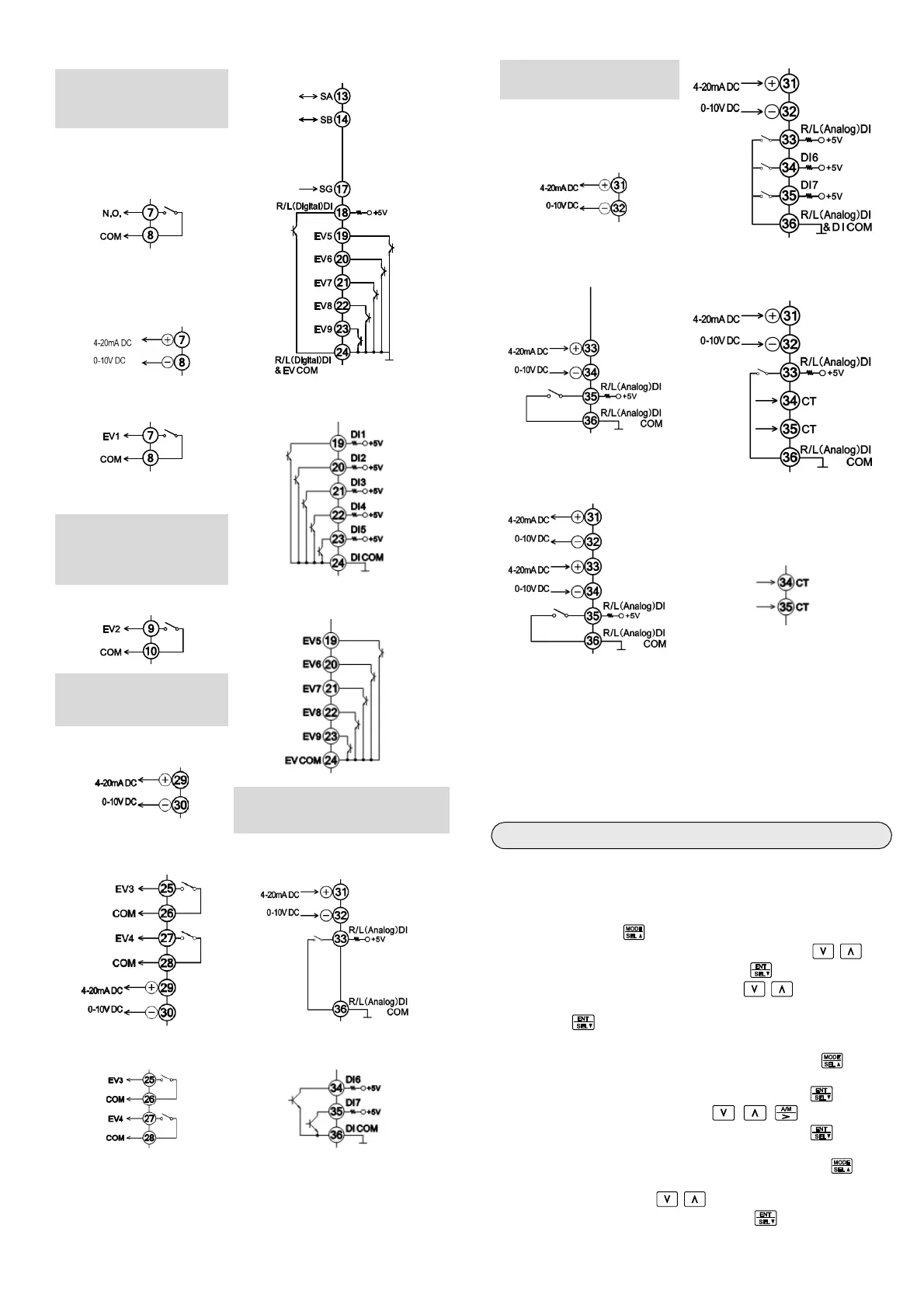
RS485 + event output 5points
Control output 2/event
output terminal (mechanical
relay output)
ON-OFF pulse output
*DB67 only.
Current / voltage output
Event 1 output External signal input 5points
Event output terminal
(mechanical relay output)
Event 2 output Event output 5points
Transmission signal
output/event output terminal
(mechanical relay)
4-20mA/0-10V
Remote signal input/external
signal input/CT input terminal for
heater disconnection alarm
4-20mA/0-10V + event
output 2points
4-20mA/0-10V
Event output 2points External signal input 2points
4-20mA/0-10V
+ external signal input
For ON-OFF servo output
type
Transmission signal output
4-20mA/0-10V
Remote signal input
4-20mA/0-10V
4-20mA/0-10V
+ CT input*
9
Transmission signal output +
remote signal input
4-20mA/0-10V
CT input*
9
*8 Use independent contact such as individual switch or relay
output for R/L (analog) switch signal for remote signal input. If
there are multiple slave units and R/L (Analog) DI COM of
different units are connected, indication error may occur to
remote SV value of slave unit and normal operation can not be
carried out. Only if there is one slave unit, transistor output
contact can be connected. (Refer to Instruction manual
(General) 2-3-5 Example of wiring for details.)
*9 Designated CT: produced by U.R.D. Co., LTD. "CTL-6-S-H"
Setting the measuring range type
Refer to ‘Flowchart of key operations and displays’ on the next page
and make the setting.
Step 3. Setting example of input type (Refer to measuring
range table)
Press and hold the key for 1s or more on the operation screen
to display the MODE0 initial setting screen. Press the keys
to display the MODE5, and then press the key to display
(Input types). Press the keys to select an
Input type.
Press the key to register the set contents.
Step 4. Setting the SV
For the constant value operation, press and hold the key for
1s or more on the operation screen to display the MODE0 initial
setting screen. When MODE0 is displayed, press the key.
When
is displayed, press the keys to move
the digit or increase or decrease the value. Press the key to
register the set content.
For the case of program operation, press and hold the key for
1s or more on the operation screen to display the MODE0 initial
setting screen. Press the keys to display the MODE2, and
set the program parameter by pressing the key.
*
8
*
8
*
8
*
8
*
8


 To Next Page