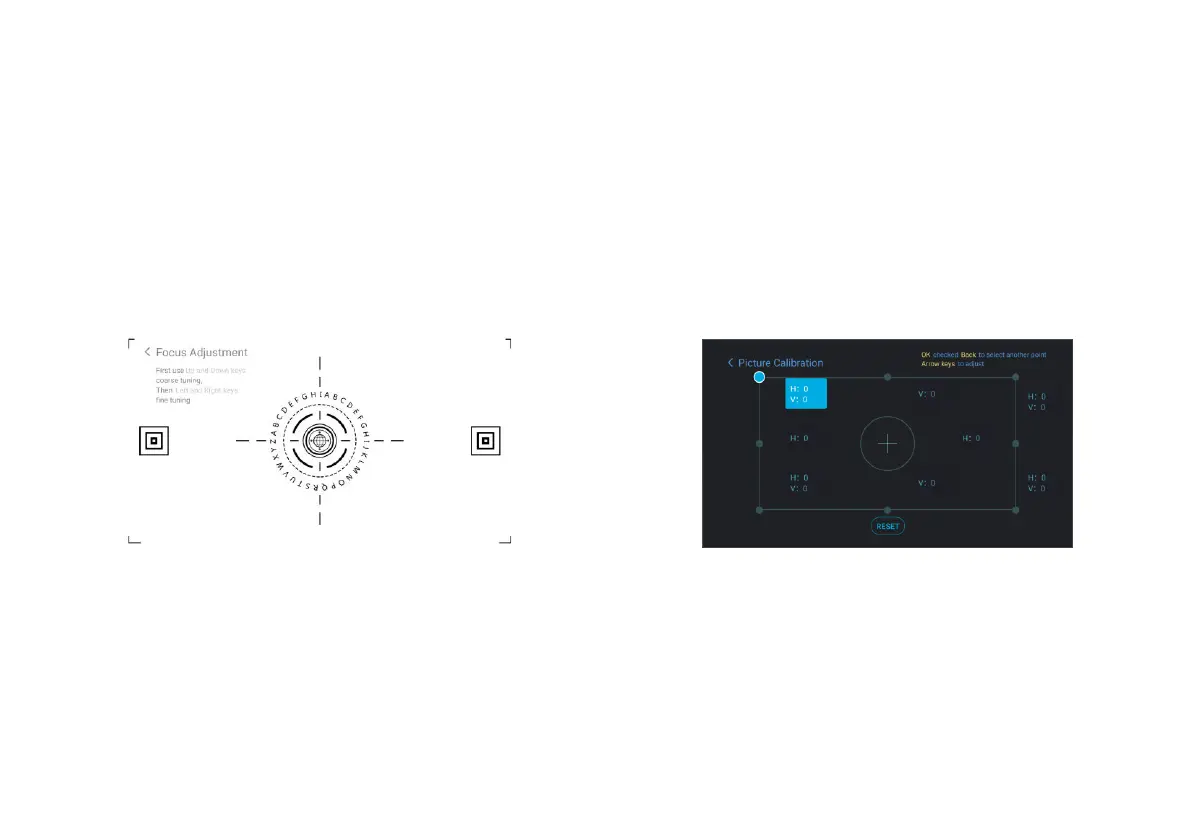
3.2.3 Image Ajustment
a.Press the "focus" key or follow the steps below, press the
remote control "Setting" key -> select "Projector settings"
-> select "Picture Calibration";
b.After entering the image ajustment menu, follow the
screen prompts to correct the image through the arrow
keys on the remote control.
3.2.2 Focus Adjustment
a.Press the "focus" key or follow the steps below, press the
remote control "Setting" key -> select "Projector settings" ->
select "Focus Adjustment";
b.Adjust the focus according to the screen prompts until the
screen becomes clear from blurry.


 To Next Page