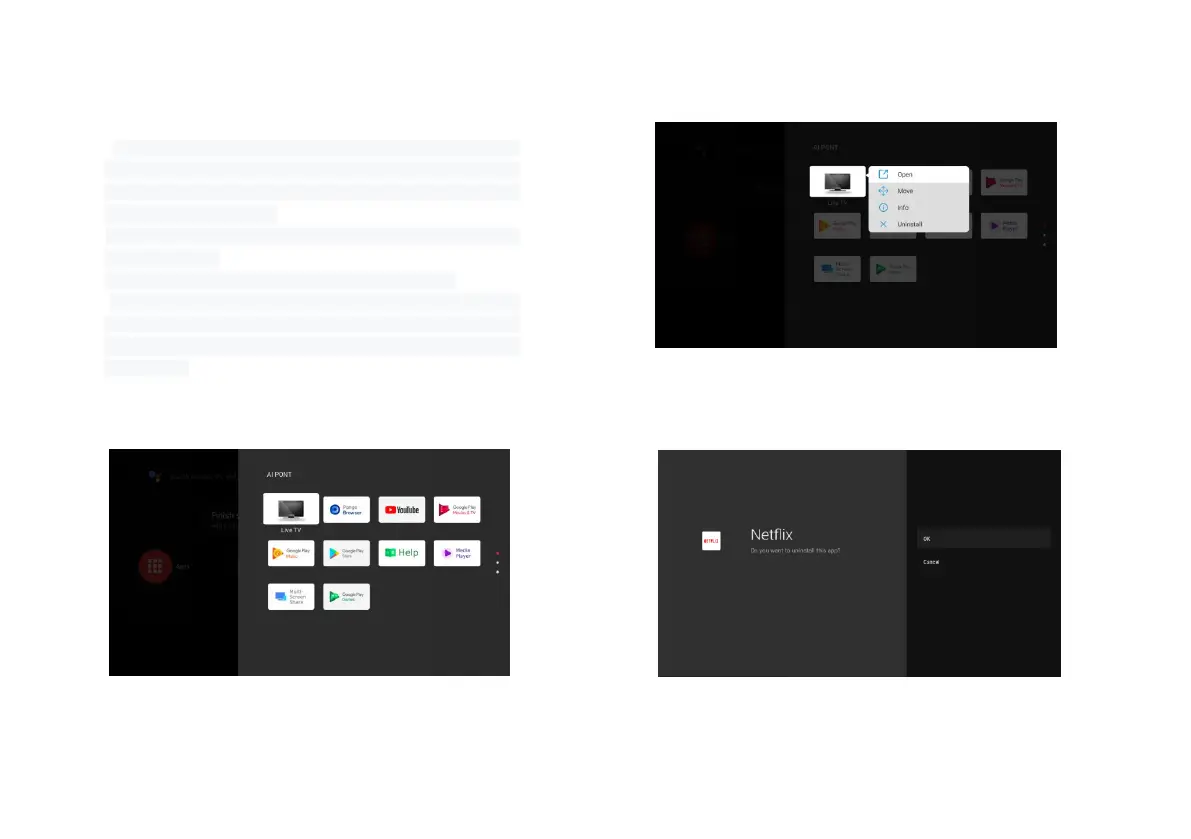
4.3 AI PONT
a. "AI PONT" is used to display and control installed
applications. The functions include opening applications,
sorting applications, displaying application information, and
uninstalling applications;
b. Click the AI PONT application icon from the home page to
enter "AI PONT";
c. Display content is related to application attributes;
d. Select Uninstall. The application uninstallation page is
displayed. Only user-arranged applications can be
uninstalled. Pre-installed applications cannot be
uninstalled.


 To Next Page