EasyManua.ls Logo

ChiQ B8U - Page 20

ChiQ B8U
30 pages
Print Icon
To Next Page IconTo Next Page
To Previous Page IconTo Previous Page
Loading...
18
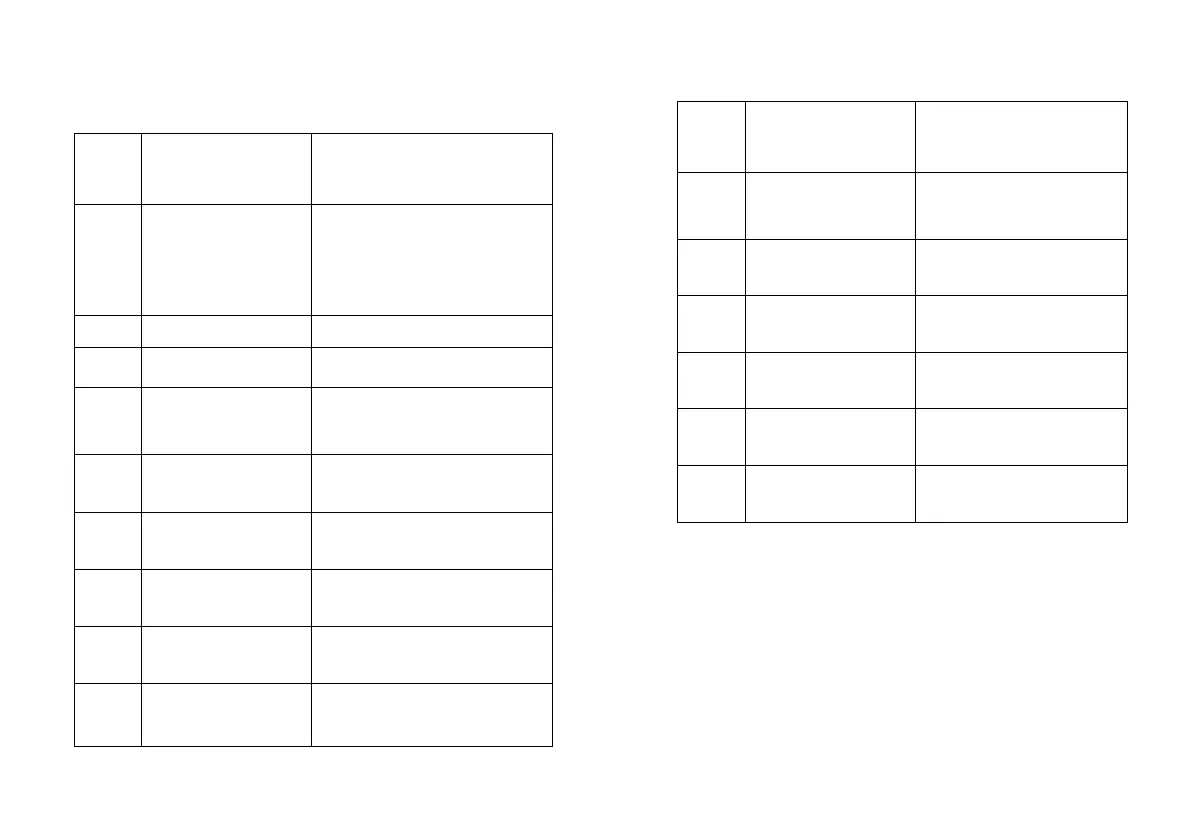
Settings menu list
Projector
Settings
menu list
No.
Item
Instruction
Suggertions
When a notification is displayed,
the content of the first notification
in the notification list is
displayed. You can tap to enter
the corresponding function
Bug report
Bug report menu
Network & Internet
Network Connection menu
Parental Control
The password for Parental
Control is a four-digit password
set in the boot wizard
Projector Settings
Laser TV commonly used setting
menu
Accounts&Sign-in
After the network connection is
successful, log in as prompted
Apps
App view and permission
management menu
Device Preferences
Device preferences menu
Remotes&Accessori
es
Bluetooth Device Management
menu
No.
Item
Instruction
Dolby Vision
Display different screen
sizes according to the
distance
Picture Calibration
Image correction menu
Focus Adjustment
Focusing menu
Display Mode
Display mode selection
menu
Eye Protection Mode
Eye protection mode
switch
Lighting Settings
Light Settings menu