EasyManua.ls Logo

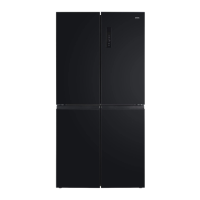
ChiQ CCD601NBS - User Manual

ChiQ CCD601NBS
16 pages
Print Icon
To Next Page IconTo Next Page
Loading...
USER MANUAL
FOUR DOORS REFRIGERATOR
Customer Service 1300 796 688
www.chiq.com.au
MODEL
C
CD601NBS
CCD600NSS
CCD599NBS
CCD598NWS
CCD597NB
C
CD596NS

Questions and Answers

Summary

Part Names and Locations

Important Safety Instructions

General Safety Precautions

Key precautions for safe operation, including domestic use, supervision, and maintenance.

Fire and Flammable Material Warnings

Specific warnings regarding fire risks and flammable materials.

Ventilation and Electrical Safety

Ensuring proper ventilation and safe electrical connections to prevent hazards.

Professional Servicing

Recommendation for qualified technicians to perform installation and servicing.

Appliance Placement Warnings

R600 a Refrigerant Warnings

Refrigerant Handling Precautions

Guidelines for handling R600a refrigerant safely, including leak prevention and ventilation.

Disposal Guidelines

Instructions for environmentally safe disposal of the appliance and its refrigerant.

Installation Instructions

Pre-Installation Checks

Steps to take before connecting the refrigerator, including unpacking and cleaning.

Installation Requirements

Guidelines for proper placement, ventilation, leveling, and electrical connection for installation.

Product Features

Electronic Control System

Details on the LED display and electronic controls for managing temperature and settings.

Inverter Technology Benefits

Explanation of inverter technology for efficiency, noise reduction, and precise temperature control.

Green Technology Features

Information on the use of freon-free refrigerant and eco-friendly materials.

Energy Saving Tips

Practical advice for optimizing refrigerator energy consumption and efficiency.

Operating Instructions

Triple Cooling System Overview

Explanation of the refrigerator's three cooling zones: fridge, freezer, and variable temp zone.

Control Panel and Display

Overview of the control panel, its icons, and how the display behaves upon door opening/closing.

Child Lock Function

How to enable and disable the child lock feature to prevent accidental changes.

Temperature Setting

Fridge Temperature Adjustment

Instructions for setting and adjusting the temperature for the fridge compartment.

Freezer Temperature Adjustment

Instructions for setting and adjusting the temperature for the freezer compartment.

Variable Temperature Zone

How to set and adjust temperatures for the variable temperature compartment.

Special Function Modes

Care+ Setting for Crisper

Using the Care+ key to set specific modes for the crisper area like Vegetables, Fruits, or Chill.

ECO Mode Operation

How to activate and deactivate the ECO mode for energy-efficient operation.

Advanced Cooling Functions

Fast Cooling Function

How to activate and deactivate the fast cooling feature for rapid chilling of food.

Fast Freezing Function

How to activate and deactivate the fast freezing feature for rapid freezing of food.

Operational Features and Alarms

Door Open Alarm System

How the door open alarm functions and how to stop it.

Power Failure Memory

The refrigerator's ability to retain settings after a power interruption.

Power-On Delay Mechanism

Protection against compressor damage from short power failures.

Over-Temperature Alarm

Notification for high freezer temperatures after a power outage.

Fault Alarm Codes

Indications of refrigerator faults via display codes and service contact.

General Care and Maintenance

Refrigerator Cleaning Guide

Instructions for cleaning the interior and exterior of the refrigerator.

Vacation Storage Advice

Recommendations for preparing the refrigerator for short and long periods of non-use.

Moving and Relocating

Steps for safely moving the refrigerator, including securing contents and power connection after relocation.

Troubleshooting Guide

Summary

Part Names and Locations

Important Safety Instructions

General Safety Precautions

Key precautions for safe operation, including domestic use, supervision, and maintenance.

Fire and Flammable Material Warnings

Specific warnings regarding fire risks and flammable materials.

Ventilation and Electrical Safety

Ensuring proper ventilation and safe electrical connections to prevent hazards.

Professional Servicing

Recommendation for qualified technicians to perform installation and servicing.

Appliance Placement Warnings

R600 a Refrigerant Warnings

Refrigerant Handling Precautions

Guidelines for handling R600a refrigerant safely, including leak prevention and ventilation.

Disposal Guidelines

Instructions for environmentally safe disposal of the appliance and its refrigerant.

Installation Instructions

Pre-Installation Checks

Steps to take before connecting the refrigerator, including unpacking and cleaning.

Installation Requirements

Guidelines for proper placement, ventilation, leveling, and electrical connection for installation.

Product Features

Electronic Control System

Details on the LED display and electronic controls for managing temperature and settings.

Inverter Technology Benefits

Explanation of inverter technology for efficiency, noise reduction, and precise temperature control.

Green Technology Features

Information on the use of freon-free refrigerant and eco-friendly materials.

Energy Saving Tips

Practical advice for optimizing refrigerator energy consumption and efficiency.

Operating Instructions

Triple Cooling System Overview

Explanation of the refrigerator's three cooling zones: fridge, freezer, and variable temp zone.

Control Panel and Display

Overview of the control panel, its icons, and how the display behaves upon door opening/closing.

Child Lock Function

How to enable and disable the child lock feature to prevent accidental changes.

Temperature Setting

Fridge Temperature Adjustment

Instructions for setting and adjusting the temperature for the fridge compartment.

Freezer Temperature Adjustment

Instructions for setting and adjusting the temperature for the freezer compartment.

Variable Temperature Zone

How to set and adjust temperatures for the variable temperature compartment.

Special Function Modes

Care+ Setting for Crisper

Using the Care+ key to set specific modes for the crisper area like Vegetables, Fruits, or Chill.

ECO Mode Operation

How to activate and deactivate the ECO mode for energy-efficient operation.

Advanced Cooling Functions

Fast Cooling Function

How to activate and deactivate the fast cooling feature for rapid chilling of food.

Fast Freezing Function

How to activate and deactivate the fast freezing feature for rapid freezing of food.

Operational Features and Alarms

Door Open Alarm System

How the door open alarm functions and how to stop it.

Power Failure Memory

The refrigerator's ability to retain settings after a power interruption.

Power-On Delay Mechanism

Protection against compressor damage from short power failures.

Over-Temperature Alarm

Notification for high freezer temperatures after a power outage.

Fault Alarm Codes

Indications of refrigerator faults via display codes and service contact.

General Care and Maintenance

Refrigerator Cleaning Guide

Instructions for cleaning the interior and exterior of the refrigerator.

Vacation Storage Advice

Recommendations for preparing the refrigerator for short and long periods of non-use.

Moving and Relocating

Steps for safely moving the refrigerator, including securing contents and power connection after relocation.

Troubleshooting Guide

ChiQ CCD601NBS Specifications

General IconGeneral
ModelCCD601NBS
CategoryRefrigerator
Total Capacity601 L
FinishStainless Steel
Inverter CompressorYes
Frost FreeYes
Cooling SystemMulti Air Flow
Defrost SystemAuto
Compressor TypeInverter
Shelves MaterialTempered Glass
Door FinishStainless Steel
ColorSilver
Voltage220-240 V
Frequency50 Hz

Related product manuals