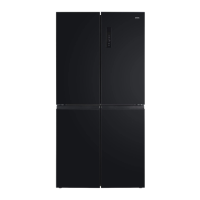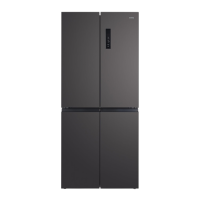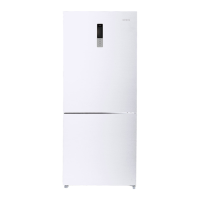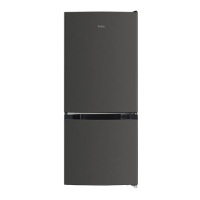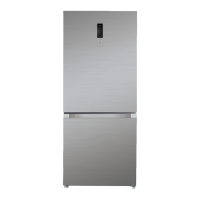
Why is there moisture on the outside of my ChiQ CCD601NBS?
- HhayesleslieSep 12, 2025
Moisture can form on the outside of your ChiQ Refrigerator if the door is slightly open, allowing cold air from inside to meet warm, moist air from outside.
Why is there moisture on the outside of my ChiQ CCD601NBS?
Moisture can form on the outside of your ChiQ Refrigerator if the door is slightly open, allowing cold air from inside to meet warm, moist air from outside.
Why does my ChiQ CCD601NBS Refrigerator make bubbling sounds?
Bubbling or gurgling sounds, like water boiling, are normal in your ChiQ Refrigerator. This is due to the refrigerant circulating throughout the system to cool the refrigerator.
Key precautions for safe operation, including domestic use, supervision, and maintenance.
Specific warnings regarding fire risks and flammable materials.
Ensuring proper ventilation and safe electrical connections to prevent hazards.
Recommendation for qualified technicians to perform installation and servicing.
Guidelines for handling R600a refrigerant safely, including leak prevention and ventilation.
Instructions for environmentally safe disposal of the appliance and its refrigerant.
Steps to take before connecting the refrigerator, including unpacking and cleaning.
Guidelines for proper placement, ventilation, leveling, and electrical connection for installation.
Details on the LED display and electronic controls for managing temperature and settings.
Explanation of inverter technology for efficiency, noise reduction, and precise temperature control.
Information on the use of freon-free refrigerant and eco-friendly materials.
Practical advice for optimizing refrigerator energy consumption and efficiency.
Explanation of the refrigerator's three cooling zones: fridge, freezer, and variable temp zone.
Overview of the control panel, its icons, and how the display behaves upon door opening/closing.
How to enable and disable the child lock feature to prevent accidental changes.
Instructions for setting and adjusting the temperature for the fridge compartment.
Instructions for setting and adjusting the temperature for the freezer compartment.
How to set and adjust temperatures for the variable temperature compartment.
Using the Care+ key to set specific modes for the crisper area like Vegetables, Fruits, or Chill.
How to activate and deactivate the ECO mode for energy-efficient operation.
How to activate and deactivate the fast cooling feature for rapid chilling of food.
How to activate and deactivate the fast freezing feature for rapid freezing of food.
How the door open alarm functions and how to stop it.
The refrigerator's ability to retain settings after a power interruption.
Protection against compressor damage from short power failures.
Notification for high freezer temperatures after a power outage.
Indications of refrigerator faults via display codes and service contact.
Instructions for cleaning the interior and exterior of the refrigerator.
Recommendations for preparing the refrigerator for short and long periods of non-use.
Steps for safely moving the refrigerator, including securing contents and power connection after relocation.
| Model | CCD601NBS |
|---|---|
| Category | Refrigerator |
| Total Capacity | 601 L |
| Finish | Stainless Steel |
| Inverter Compressor | Yes |
| Frost Free | Yes |
| Cooling System | Multi Air Flow |
| Defrost System | Auto |
| Compressor Type | Inverter |
| Shelves Material | Tempered Glass |
| Door Finish | Stainless Steel |
| Color | Silver |
| Voltage | 220-240 V |
| Frequency | 50 Hz |