Digital Color Doppler Palm Ultrasound System
40
Chapter 7 Cine-Memory
This chapter introduces the theory of saving images in Cine-Memory and the operation of image playback in
Cine-Memory.
7.1 Image Storage
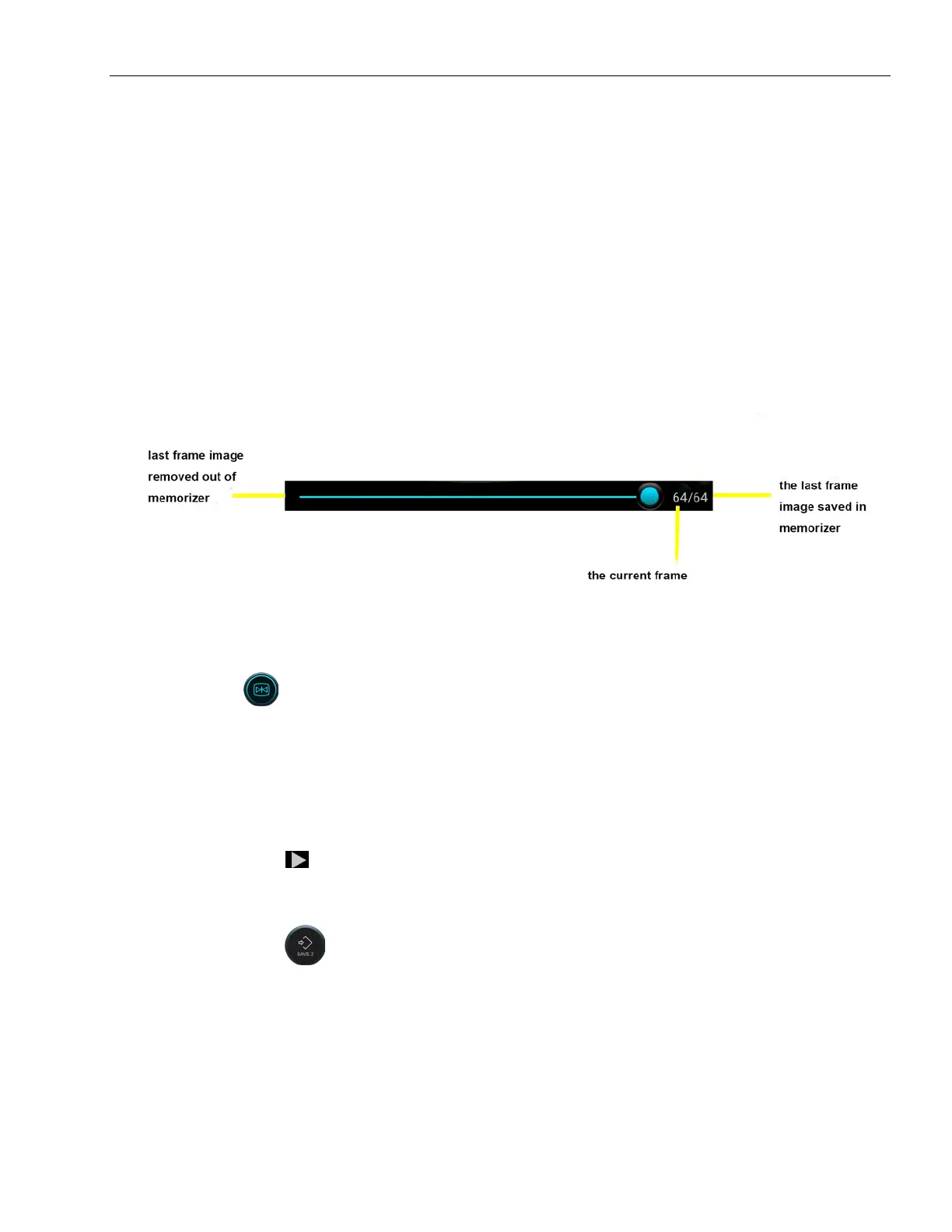
Images in B-mode can be stored in Cine-Memory at the unit of frame in time sequence. If the storage is full
of images, when storing a latest new frame image, the first saved frame image will be removed out of Cine-
Memory. Therefore, there are always the latest images in the storage. All the images in Cine-Memory can be
played back manually or automatically.
Fig 7-1 Movie playback bar diagram
7.2 Manual playback
After clicking the button to freeze the image, the movie playback bar pops up. At this time, slide to
right in image area to display the images in ascending order of frames, that is, the same order as the images
are stored, otherwise frames are displayed in descending order.
7.3 Automatic playback
Press Freeze and click to start automatic playback.
7.4 Cine Save
Press Freeze and click to save current cine.



 To Next Page