76 Chapter 3 Repairs
Maintenance manual
2016/02
AlveoPC
The flange of the upper plate is sharp and can cause
injury. Handle it with great care.
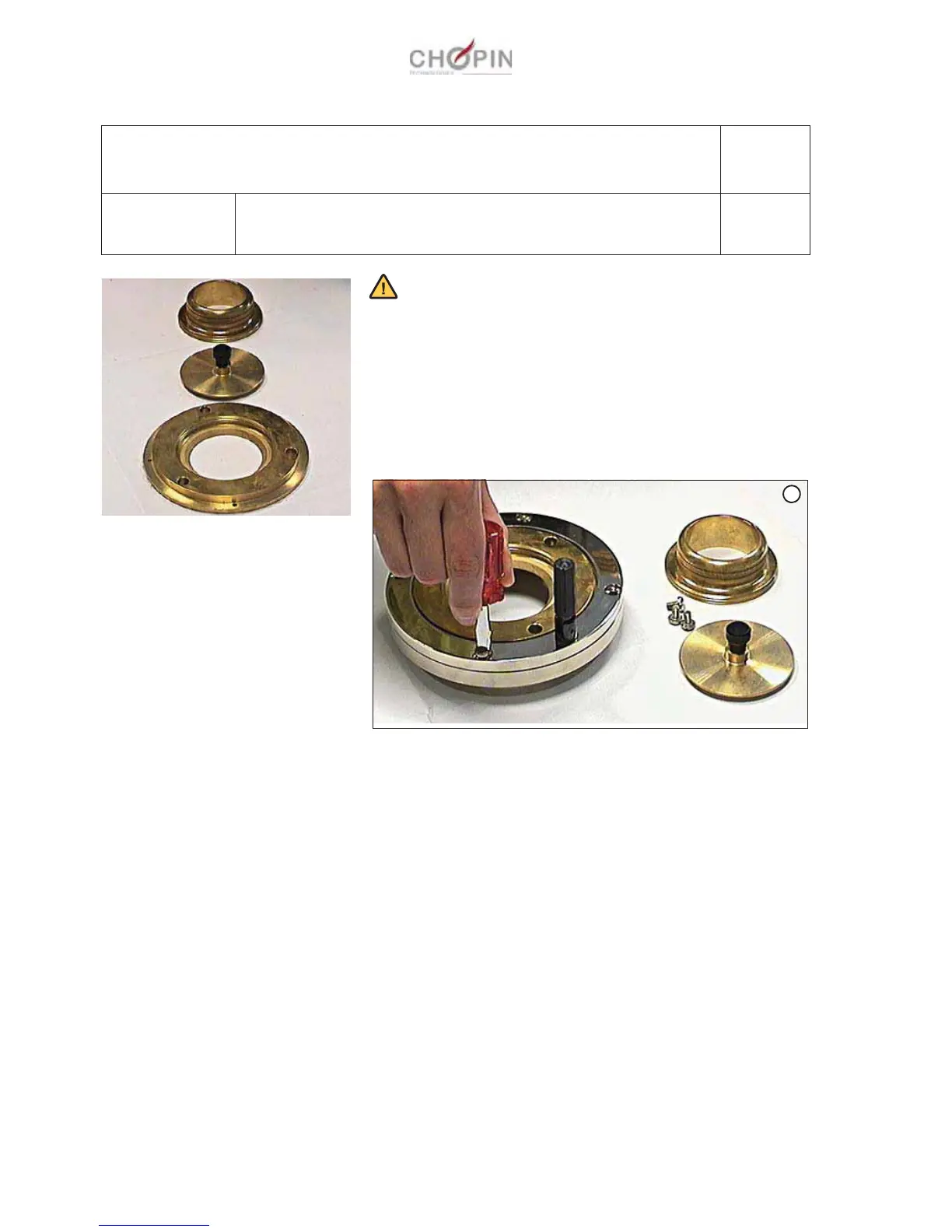
1. Unscrew the upper plate from the Alveograph.
2. Unscrew the four screws on the crown (A).
3. Remove the crown.
4. Remove the 3-part polished plate.
To replace it, perform this process in reverse order.
A2: Upper plate assembly
Operation A2-1 Removing/replacing the 3-part polished plate
Page: 1/1
Consumables:
Tools:
-
-
A


 To Next Page