Chapter 3 Repairs 97
Maintenance manual
2016/02
AlveoPC
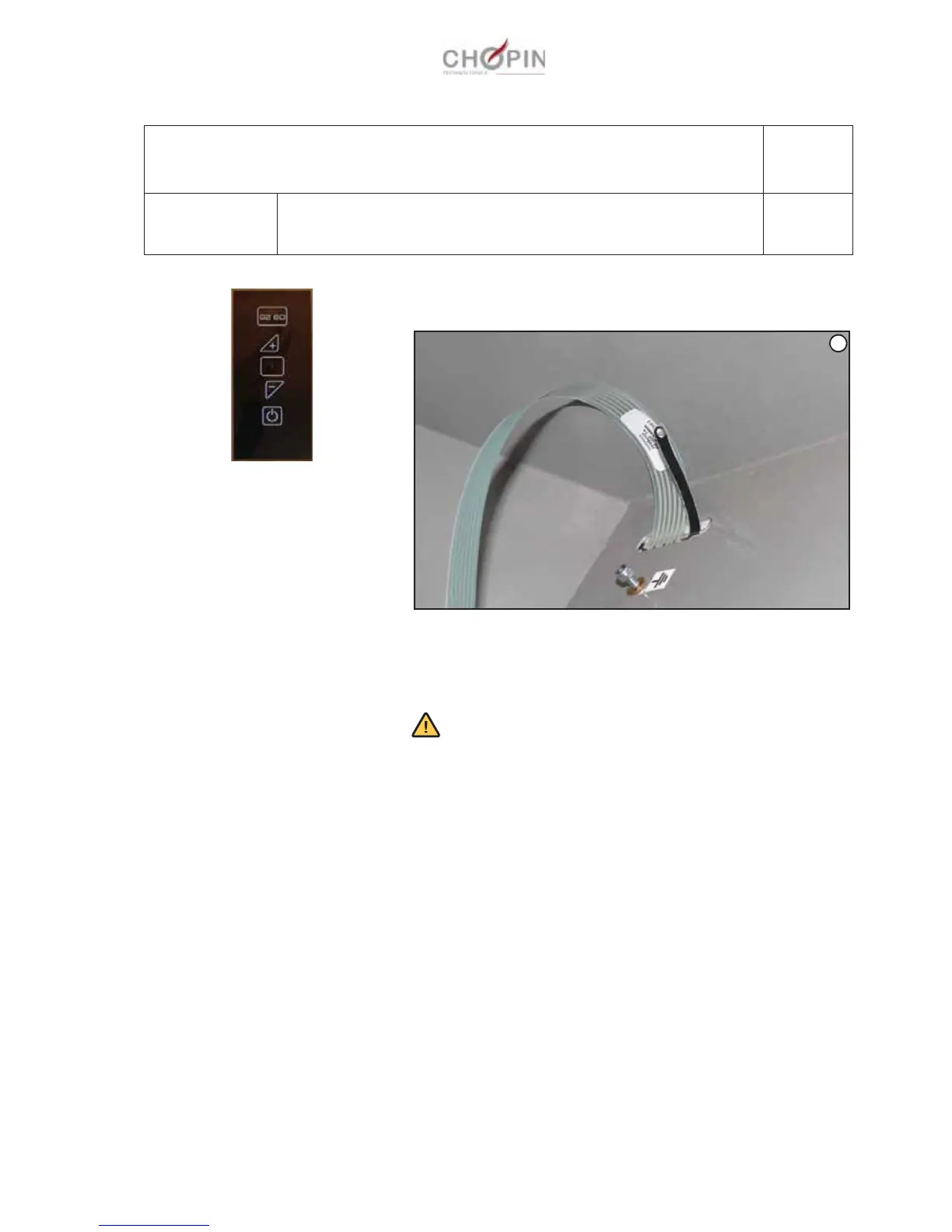
1. Remove the Alveograph's casing (see op. A1-1).
2. Unscrew the screw from the keyboard's exposed conductive
part on the Alveo' casing (A).
3. Unstick the keyboard from the Alveo casing and discard it.
4. Carefully clean the keyboard location with solvent.
Please note: the keyboard must be stuck on in one go, without
attempting to unstick it, because doing so will damage it irre-
mediably.
5. Remove the adhesive protection.
6. Insert the keyboard connecting ribbon cable through the cas-
ing opening, tilt the keyboard to align its upper edge and left
edge in its frame.
7. Stick the new keyboard, making sure to expel all air bubbles.
8. Rewire then put the hood back on the Alveo.
A9: Alveo keyboard
Operation A9-1 Replacing the keyboard
Page: 1/1
Consumables:
Tools:
Solvent that does not alter the casing paintwork
-
A


 To Next Page