42 • LDplus Control System Operating Manual Freeze Dryer ALPHA 1-2 LDplus
5.6. Mode
The mode selection can be activated by pressing the left-hand
softkey Mode
in the active values window. The function Mode
includes the operating mode selection and the phase
selection.
Freeze-drying comprises the following four phases:
• Freezing
• Warm-up vacuum pump
• Main drying
• Final drying
5.6.1. Starting a drying process
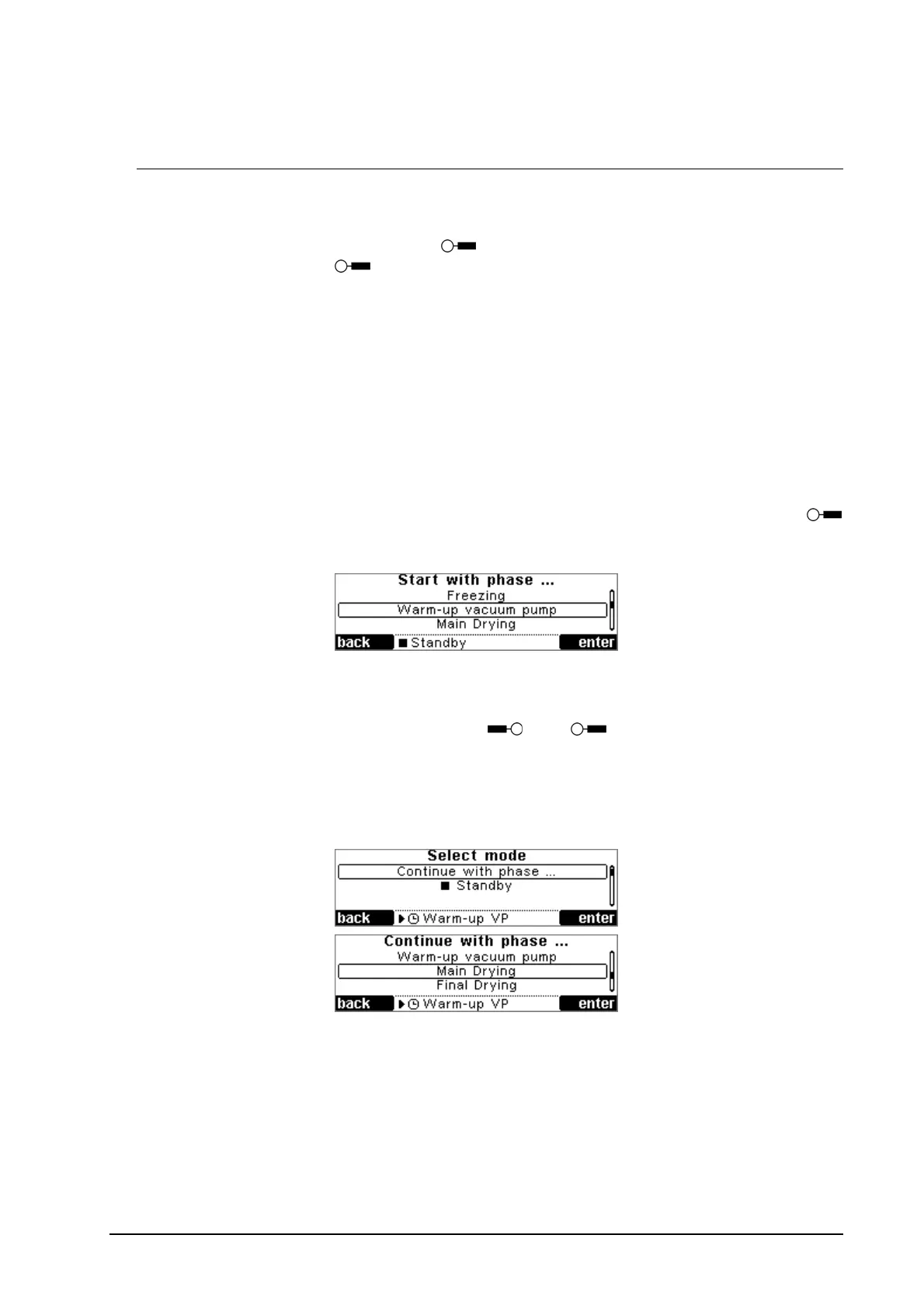
If the unit is in standby mode, pressing the softkey Mode
leads to an inquiry concerning the phase to be used for starting the
freeze drying process.
If the user wants to start directly with the main or final drying
phase, the system inquires as to whether the vacuum pump
should be warmed up. This inquiry has to be confirmed by
pressing either yes
or no .
5.6.2. Changing the phase
If the unit is in the run mode, you can change over to the next
phase or stop the process by selecting “Standby”.
5.6.3. Timer
If the timer is active for the phase (timer set value >= 1 minute),
the system inquires before the selected time is over as to whether
the user wants to continue with the next phase.
If the last phase is active, the system inquires as to whether the
process should be continued or stopped (standby).


 To Next Page