
 Need help?
Do you have a question about the Christie CP4230 and is the answer not in the manual?
Provides an overview of the projector's main components and their functions.
Details the local user interface for projector operation and status monitoring.
Outlines the power specifications and lamp requirements for the projector.
Describes the 7kW Lamp Power Supply, including installation and safety notes.
Details the Xenon arc lamp, its mounting, and replacement considerations.
Covers the primary and auxiliary lenses, including their installation and function.
Explains the function and importance of the primary lens for projector sealing.
Lists critical cautions and warnings to be observed during projector servicing.
Provides essential safety information for servicing the projector.
Details safety precautions related to AC power supply and connections.
Highlights crucial safety warnings for handling the projector's high-pressure lamp.
Explains the projector's cooling systems and the importance of regular inspection.
Covers regular maintenance checks and cleaning procedures for optimal performance.
Describes the process for adjusting lamp position to optimize brightness and uniformity.
Details the automatic procedure for positioning the lamp for optimal performance.
Outlines the procedure for aligning the three DMD panels for accurate color representation.
Lists prerequisites and steps to take before starting the DMD convergence process.
Explains the procedure for engaging DCI physical interlocks to enable secured material display.
Provides steps for installing software upgrades for the projector.
Guides on diagnosing and resolving issues when the projector fails to power on.
Covers common troubleshooting steps related to the projector lamp.
Provides steps to troubleshoot if the projector lamp fails to ignite.
Addresses various issues related to image display and output quality.
Troubleshooting steps for when the projector displays a blank screen.
Diagnosing issues where the display shows only black or green screens.
Essential safety information and precautions for handling projector components.
Details the procedures and tools required for replacing projector modules.
Lists the necessary tools for performing replacement procedures.
Provides instructions on how to remove various projector covers for access.
Information on replacing the projector's air filters to maintain cooling efficiency.
Details the location and replacement of various cooling fans within the projector.
Covers components within the illumination optics and liquid cooling systems.
Information on the various Printed Circuit Boards (PCBs) within the projector.
Details the Projector Intelligence Board's function and replacement.
Instructions for removing and replacing the projector's light engine assembly.
Covers the projector's various power supply units and their components.
Details components within the lamp compartment for maintenance and replacement.
Step-by-step guide for safely replacing the projector lamp.
Information on the projector's interlock switches and their functions.
Essential safety precautions to follow when cleaning optical components.
General guidelines and procedures for cleaning projector optical components.
Procedure for cleaning the light engine prism assembly.
Instructions for cleaning the projector's main projection lens.
Illustrates the path of electrical connections between the projector's modules.
Controls the motorized auxiliary lens (anamorphic or converter lens).
Adjusts lens to specific focus position with specified direction using serial commands.
Allows adjustment of lamp position to optimize intensity and uniformity.
Sets lamp intensity setpoint, adjusting lamp power to maintain intensity.
Details display characteristics such as resolution, refresh rate, and lumen output.
Specifies the maximum lumen output for different lamp types.
Lists supported source signal formats for cinema and non-cinema inputs.
Details the power requirements for the projector head, lamp, and UPS input.
Provides an internal exploded view of the projector's serviceable parts.
Provides an external exploded view of the projector's serviceable parts.



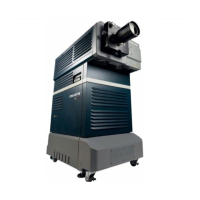
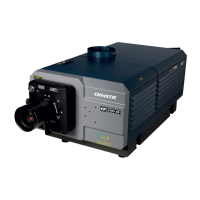
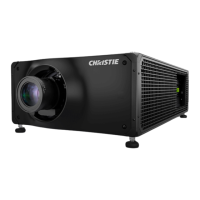
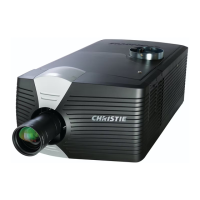

 To Next Page


 General