EasyManua.ls Logo

Christie DHD635-GS - User Manual

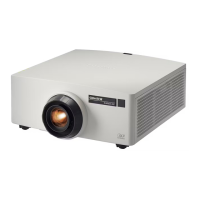
Christie DHD635-GS
90 pages
Print Icon
To Next Page IconTo Next Page
Loading...
GS Series
DHD630-GS / DWU630-GS
DHD635-GS / DWU635-GS
User Manual
020-001213-02

Table of Contents

Other manuals for Christie DHD635-GS

Questions and Answers

  • M
    Mary ChandlerAug 6, 2025
    How to fix Christie DHD635-GS Projector when no image appears on the screen?
    • K
      Kerry PetersAug 6, 2025
      If no image is showing on your Christie Projector, verify that all cables and power connections are correctly and securely connected. Also, check if the Light Status LED is green and ensure that you have removed the lens cap and the projector is switched on.
  • T
    Tiffany HarrisAug 10, 2025
    What to do if the image is out of focus on my Christie Projector?
    • C
      Charles WalkerAug 10, 2025
      If the image on your Christie Projector is out of focus, first ensure that both front and back lens caps are removed. Then, adjust the lens focus until the image fits the screen. Also, verify that the projection screen is within the required distance for optimal focus.
  • T
    Tanya HoodAug 15, 2025
    How to correct an incorrectly displayed image on a Christie Projector?
    • D
      Darrell EdwardsAug 15, 2025
      If the image on your Christie Projector is displayed incorrectly, try the following: 1. Press AUTO on the control panel or IR remote. 2. Ensure your display resolution setting is lower than or equal to WUXGA (1920 × 1200). 3. If using a Notebook, press AUTO. 4. Adjust the resolution of the computer. 5. Restart all equipment including the projector.
  • M
    martincristinaAug 19, 2025
    How to adjust image size on a Christie DHD635-GS?
    • R
      Rodney AlvaradoAug 19, 2025
      If the image size is incorrect on your Christie Projector, adjust the lens zoom to fit the screen. Verify that you are using the correct lens for your setup. If needed, change the position of the projector to achieve the desired image size.
  • D
    Duane MooreAug 23, 2025
    How to fix a stretched image on a Christie DHD635-GS Projector?
    • T
      Tony BishopAug 23, 2025
      If the image on your Christie Projector appears stretched, and you are playing 4:3 format DVD titles, change the format to 4:3 in the projector's on-screen display. If the image is still stretched, adjust the aspect ratio by setting the display format as 16:9 (wide) on your DVD player.
  • G
    Gregory BakerAug 27, 2025
    What to do if Christie DHD635-GS Projector connection fails with a new IP address?
    • A
      Anthony CallahanAug 28, 2025
      If the connection fails with a new IP address on your Christie Projector, ensure the RJ45 cable is correctly and securely connected to both the projector and the network device. Make sure the IP address of the projector and the controlling device are set to the same region with different IP addresses. Try connecting the projector directly to the computer to check the network environment. Also, ensure every device has a unique IP address.
  • L
    Logan HigginsSep 1, 2025
    How to resolve a vertical flickering bar on a Christie DHD635-GS Projector?
    • R
      Robin RhodesSep 1, 2025
      If you observe a vertical flickering bar on your Christie Projector, use Auto Image to make an adjustment. Also, check and reconfigure the display mode of your graphic card to ensure it is compatible with the projector.

Christie DHD635-GS Specifications

General IconGeneral
Resolution1920 x 1080
Contrast Ratio10000:1
Light SourceLaser
TechnologyDLP
Lamp Life20000 hours
Input ConnectorsHDMI, Composite Video
Output ConnectorsHDMI
Control ConnectorsRS-232, USB
Lens ShiftVertical: ±60%; Horizontal: ±23%

Related product manuals