EasyManua.ls Logo

Christie D13HD-HS - User Manual

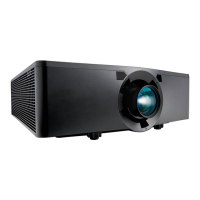
Christie D13HD-HS
104 pages
Print Icon
To Next Page IconTo Next Page
Loading...
HS Series
D13HD-HS/D13WU-HS
User Manual
020-000883-03

Table of Contents

Questions and Answers

  • A
    Aimee RobertsAug 15, 2025
    How to troubleshoot no image on Christie Projector?
    • L
      lisa61Aug 15, 2025
      If no image appears on the screen when using your Christie Projector, first ensure that all cables and power connections are correctly and securely connected. Also, make sure that the projector itself is switched on.
  • A
    Anthony SmithOct 30, 2025
    What to do if Christie D13HD-HS displays image incorrectly?
    • R
      Robert BrownOct 30, 2025
      If the image is displayed incorrectly on your Christie Projector, and you are using a PC (Windows 95, 98, 2000, XP, Windows 7), press the AUTO button on the control panel or IR remote keypad. Alternatively, go to My Computer > Control Panel > Display > Settings tab, and verify your display resolution setting is lower than or equal to WUXGA (1920 × 1200). Click Advanced Properties. If the projector still doesn't project the entire image, change the monitor display by going to the Monitor tab, clicking Change, then Show all devices. Under the SP box, select Standard monitor types, and under the Models box, select the appropriate resolution mode. If you are using a Notebook, press AUTO on the control panel or IR remote keypad. Adjust the resolution of the computer. To send a signal from the n...

Summary

NOTICES

GENERAL WARRANTY STATEMENTS

Lists common exclusions and limitations of the product warranty.

PREVENTATIVE MAINTENANCE

PREVENTATIVE MAINTENANCE

Highlights the importance of maintenance for product operation and warranty.

SAFETY

Laser safety warnings

Provides critical warnings regarding laser operation and potential eye damage.

Light intensity hazard distance

Details the zones and distances associated with optical radiation hazards.

INSTALLATION

Turning the projector on

Step-by-step instructions for powering on the projector.

Turning the projector off

Procedures for safely powering down the projector.

Setup, alignment and test procedures

Comprehensive steps for initial setup, alignment, and testing.

OPERATION

Size and Position menu

Settings for adjusting the image's size and position on the screen.

Geometry correction

Tools for correcting image warping, keystone, and pincushion effects.

Image Settings menu

Menu for adjusting image parameters like brightness, contrast, and detail.

Configuration Menu

Settings for language, projection orientation, power, and other preferences.

Color matching

Methods for adjusting hue, saturation, and gain for precise color reproduction.

Light Source menu

Settings related to the projector's light source mode and power.

Input Switching & PIP menu

Configuration for handling main and Picture-in-Picture (PIP) inputs.

Christie Presenter

Information and setup for the Christie Presenter application.

Connecting to the Projector

Steps to establish network connection for Christie Presenter.

Installing the Christie Presenter software

Guide to installing and configuring the Christie Presenter software.

Using the Christie Presenter

Instructions on how to operate the Christie Presenter application.

Connecting and searching the network display

Process for connecting to and finding network displays.

TROUBLESHOOTING

No image appears on screen

Resolves issues where the projector displays no image.

SPECIFICATIONS

Safety

Lists safety standards and certifications the projector complies with.

Laser safety

Specifies the laser safety standards the product adheres to.

Christie D13HD-HS Specifications

General IconGeneral
Matrix size0.95 \
Matrix typeDMD
Heat dissipation2390 BTU/h
Native aspect ratio16:9
Projection distance- m
Vertical scan range24 - 85 Hz
Horizontal scan range15 - 91 kHz
Projection technologyDLP
Contrast ratio (dynamic)7500:1
Contrast ratio (typical)1200:1
Screen size compatibility- \
Projector native resolution1080p (1920x1080)
Sustainability certificatesRoHS
Noise level39 dB
CertificationUL/CSA/IEC 60950-1 FCC Class A CE FDA CCC KC PSE CU SABS BIS VCCI RCM Ukr TER SASO REACH WEEE
Noise level (economic mode)37 dB
Light source typeLaser
Service life of light source20000 h
Focus-
Zoom capabilityYes
Focal length range- mm
Supported 3D formatsFrame packing, Side by side, Top and bottom
Power sourceAC
AC input voltage100 - 240 V
AC input frequency50 / 60 Hz
Power consumption (standby)- W
Power consumption (typical)1300 W
HDMI version1.4
Serial interface typeRS-232
USB 2.0 ports quantityUSB 2.0 ports have a data transmission speed of 480 Mbps, and are backwards compatible with USB 1.1 ports. You can connect all kinds of peripheral devices to them.
Component video (YPbPr/YCbCr) in0
Ethernet LAN data rates10, 100 Mbit/s
PlacementDesktop
Product typeLarge venue projector
Product colorBlack
Market positioningBusiness
Built-in speaker(s)No
Remote control typeWireless/Wired
Operating temperature (T-T)0 - 40 °C
Operating relative humidity (H-H)0 - 85 %
Weight and Dimensions IconWeight and Dimensions
Depth677 mm
Width596 mm
Height203 mm
Weight42500 g
Package depth513 mm
Package width843 mm
Package height923 mm
Package weight54000 g

Related product manuals