EasyManua.ls Logo

Christie DHD700 - User Manual

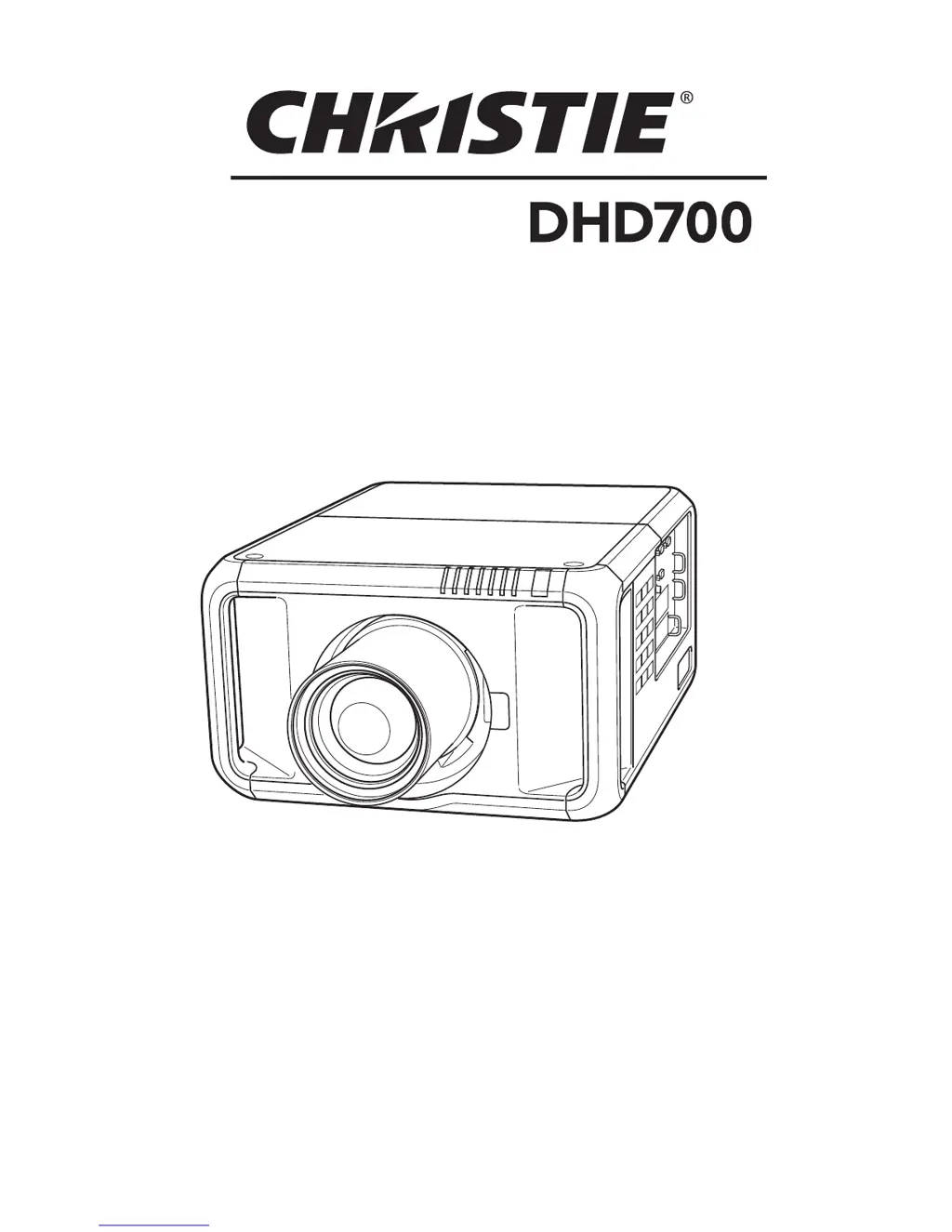
Christie DHD700
88 pages
Print Icon
To Next Page IconTo Next Page
Loading...
Lens not included.
Users Manual

Table of Contents

Other manuals for Christie DHD700

Questions and Answers

  • K
    kingmelissaAug 19, 2025
    Why is my Christie DHD700 Projector image not bright enough?
    • L
      Lauren WaltersSep 12, 2025
      If the image from your Christie Projector isn't bright enough, there are several things you can check. First, ensure that the 'Contrast' and 'Brightness' settings are properly adjusted. Also, verify that the 'Image level' is correctly selected. Examine the Lamp control function. If the end of lamp life is approaching, replace the lamp promptly. Finally, if you are using one lamp mode, switch to two lamps in the SETTING section.
  • M
    Mary MillerAug 21, 2025
    Why doesn't the auto PC adjustment function work on my Christie Projector?
    • J
      Jerry SimpsonAug 21, 2025
      If the auto PC adjustment function on your Christie Projector isn't working, it might be because certain resolutions or digital signal inputs are not compatible with this function. Check the Input signal to ensure it's compatible.
  • T
    Travis DiazAug 25, 2025
    What to do if the image is distorted or runs off the screen on Christie DHD700?
    • A
      angela73Aug 25, 2025
      If the image from your Christie Projector is distorted or runs off the screen, check the 'PC Adjust' menu or the 'Screen' menu and adjust the settings there.
  • G
    grahamdouglasAug 26, 2025
    Why does the color look strange on my Christie Projector?
    • S
      samantha23Aug 27, 2025
      If the color on your Christie Projector appears strange, check the Input signal, color system, video system, or computer system mode.
  • L
    Lynn TranAug 28, 2025
    What to do if the image is out of focus on Christie DHD700?
    • S
      Spencer SantanaAug 28, 2025
      If the image from your Christie Projector is out of focus, it might be due to changing temperature leading to moisture condensation on the Projection Lens. Leave the projector OFF and wait until the condensation evaporates.
  • K
    Kristina MartinezAug 30, 2025
    Why does my Christie Projector image disappear automatically?
    • J
      Jeanette AllenAug 30, 2025
      If your Christie Projector image disappears automatically, check the power management function in the Setting.
  • K
    Kimberly MitchellSep 2, 2025
    How to fix a Left/Right reversed image on Christie DHD700?
    • Y
      ymerrittSep 2, 2025
      To correct a Left/Right reversed image on your Christie Projector, check the Ceiling / Rear function.
  • D
    Daniel WilkinsonSep 4, 2025
    How to fix a Top/Bottom reversed image on Christie Projector?
    • K
      kelly89Sep 4, 2025
      To correct a Top/Bottom reversed image on your Christie Projector, check the Ceiling function.
  • V
    Virginia PrestonSep 6, 2025
    Why some displays are not seen during the operation of my Christie DHD700?
    • V
      vmendozaSep 6, 2025
      If some displays are not seen during the operation of your Christie Projector, check the Display function.
  • J
    Juan CurtisSep 8, 2025
    Why power management function does not work on Christie DHD700 Projector?
    • A
      anthonydavisSep 9, 2025
      If the power management function on your Christie Projector isn't working, it might be because the 'Freeze' function is running or the shutter is closed.

Summary

Features and Design

High Resolution DLP Projector

Details the projector's compatibility with Full HD signals and user-changeable color wheels.

Functional Versatility and Advanced Capabilities

Highlights features like lens shifting, omnidirectional projection, and motor-driven lens shift.

Connectivity and Network Features

Covers versatile input/output terminals and network board functionality.

User Interface and System Settings

Describes multilanguage display, simple computer setting, and shutter function.

Owner Information and Safety

General Safety Precautions

Essential warnings about electric shock, heat, and proper use.

Installation and Environmental Safety

Precautions for ceiling mounting and avoiding hazardous environments.

Safety Instructions

General Operating and Electrical Safety

Guidelines for safe operation, cleaning, and electrical connections.

Handling, Servicing, and Maintenance Safety

Warnings regarding servicing, attachments, and product care.

Air Circulation and Ventilation Requirements

Importance of proper airflow and precautions to prevent overheating.

Installation Procedures

Projector Positioning and Ceiling Mounting

Guidelines for correct projector placement and safe ceiling installation.

Safe Moving and Transport Procedures

Precautions for safely moving and transporting the projector.

Terminals, Connectors, and Cable Management

Overview of all projector terminals and cable management.

Connecting Computer and Video Sources

Guides for connecting various computer and video equipment.

AC Power Cord Connection and Safety

Steps for connecting the power cord and using fixing brackets.

Part Names and Controls

Identification of Projector Components

Identifies key parts on the front and back of the projector.

Side Control Panel and Indicators

Explanation of the buttons and status lights on the projector's side.

Indicator Lights Explained

Detailed meaning of each projector status indicator light.

Remote Control Functions and Operation

Identifies and explains each button on the remote control.

Basic Operation and Input Selection

Turning the Projector On and Off

Step-by-step guide for powering on and off the projector.

Navigating the On-Screen Menu System

How to operate the projector's on-screen menu for adjustments.

Selecting Input Sources

Methods for switching between input sources via side control or remote.

Projector Information Display

How to access and view projector status information.

Computer Input Settings

Computer System Selection and Auto Adjustment

Automatic and manual selection of computer system modes.

Manual PC Adjustment Procedures

Detailed manual adjustments for fine sync, dots, position, etc.

Image Level and Screen Size Adjustment

Choosing preset image levels and adjusting screen size.

Keystone Correction and Zooming Functions

Adjusting keystone distortion and using image zoom.

Video Input Settings

Video System Selection

Automatic and manual selection of video signal formats.

Image Level and Screen Size Adjustment

Choosing preset image levels and adjusting screen size for video.

Keystone Correction for Video Sources

Adjusting keystone distortion for video input.

Picture Image Adjustments

General Image Adjustment Settings

Adjusting Contrast, Brightness, Color, Tint, and Color Management.

Advanced Color Management and White Balance

Detailed color adjustments using Color Selection Mode and White Balance.

Sharpness, Gamma, Noise Reduction, Progressive

Adjusting sharpness, gamma, noise reduction, and progressive scan modes.

Projector Settings and Configuration

Language, Menu, and Display Options

Settings for menu language, display, and on-screen elements.

Lamp Management and Power Saving Features

Managing lamp modes, life control, intervals, and power saving.

Advanced Display Functions

Configuring Picture in Picture, Edge Blending, and Color Matching.

Security Features: PIN Code Lock and Key Lock

Enabling and managing security features like PIN and Key locks.

Filter Control and Fan Speed Settings

Managing filter replacement timers and cooling fan speed.

Maintenance and Care

Filter Instructions, Installation, and Resetting

Guidance on filter operation, replacement, and counter resetting.

Lamp Management and Replacement Procedures

Information on lamp status, replacement, and ordering.

Color Wheel Installation and Cleaning Procedures

Instructions for installing color wheels and cleaning lens/cabinet.

Warning Indicators and Troubleshooting Guidance

Understanding warning indicators and basic troubleshooting steps.

Appendix and Specifications

Troubleshooting Common Problems

Solutions for issues like no power, no image, and control malfunctions.

Technical Specifications and Compatibility

Detailed specs, compatible computer resolutions, and terminal pinouts.

Terminal Configurations and Pinout Diagrams

Pinout diagrams for ANALOG, DVI, USB, and HDMI connectors.

Optional Parts and Documentation Reference

List of optional accessories and where to find more information.

Christie DHD700 Specifications

General IconGeneral
Resolution1920 x 1080
TechnologyDLP
Brightness7000 ANSI lumens
Lamp Life2000 hours (normal mode), 3000 hours (eco mode)
Light SourceUHP
Light Source Life3000 hours
Input ConnectorsHDMI, VGA, Composite

Related product manuals