EasyManua.ls Logo

Chroma 63804 - Page 184

Default Icon
198 pages
Print Icon
To Next Page IconTo Next Page
To Previous Page IconTo Previous Page
Loading...
Programmable AC/DC Electronic Load 63800 Series Operation & Programming Manual
10-4
[
C
O
N
F
]
C
H
O
O
S
E
=
1
1
.
S
E
T
U
P
2
.
R
E
M
O
T
E
3
.
C
A
L
I
B
R
A
T
I
O
N
4
.
D
I
S
P
L
A
Y
S
E
L
E
C
T
I
O
N
5
.
F
A
C
T
O
R
Y
D
E
F
A
U
L
T
6
.
M
O
D
E
L
I
N
F
O
R
M
A
T
I
O
N
7
.
P
A
R
A
L
L
E
L
M
O
D
E
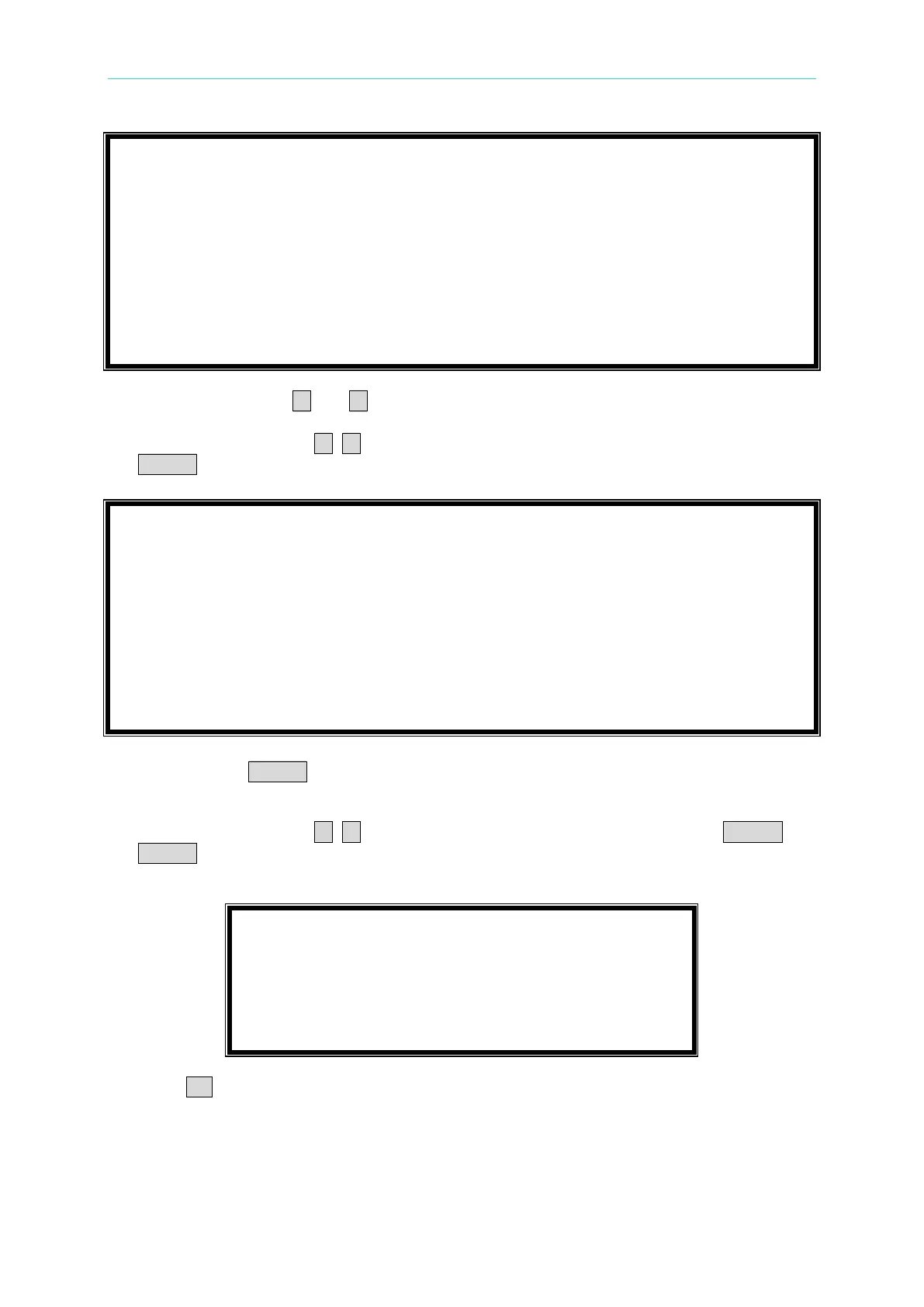
3. Move the cursors of and to “1-5. CF/PF SETTING.
4. Press direction keys of , or turn rotary knob to select BOTHand then press
ENTER.
1
-
1
.
M
O
D
E
S
E
L
E
C
T
=
A
C
/
D
C
[
S
E
T
U
P
]
1
-
2
.
S
H
O
R
T
=
O
F
F
/
T
O
G
G
L
E
/
H
O
L
D
1
-
3
.
L
O
C
K
M
O
D
E
=
R
O
T
A
R
Y
/
K
E
Y
P
A
D
/
A
L
L
1
-
4
.
S
O
U
N
D
=
O
N
/
O
F
F
1
-
5
.
C
F
/
P
F
S
E
T
T
I
N
G
=
B
O
T
H
/
C
F
/
P
F
1
-
6
.
T
I
M
I
N
G
M
O
D
E
=
O
F
F
/
H
O
L
D
U
P
/
T
R
A
N
S
F
E
R
1
-
7
.
E
X
T
E
R
N
A
L
=
O
F
F
/
O
N
1
-
8
.
A
B
A
M
O
D
E
=
E
N
A
B
L
E
/
D
I
S
A
B
L
E
5. After pressing ENTER, a window will be popped up to request users to key in CF and PF
sequence.
6. Press direction keys of , or turn rotary knob to select CF and then press ENTER. If
ENTER doesnt be pressed, a window wont be popped up thus the priority is the last
setting.
C
F
P
F
P
R
I
O
R
I
T
Y
=
C
F
/
P
F
7. Press CC to return to main screen.
8. AC Source settings are shown as Table 10-3. Please follow the model under CC mode to
set loading value, PF=1, CF=1.414. According to the model to confirm if the values of
Meter & Load meet to that in Table 10-3.

Table of Contents

Related product manuals