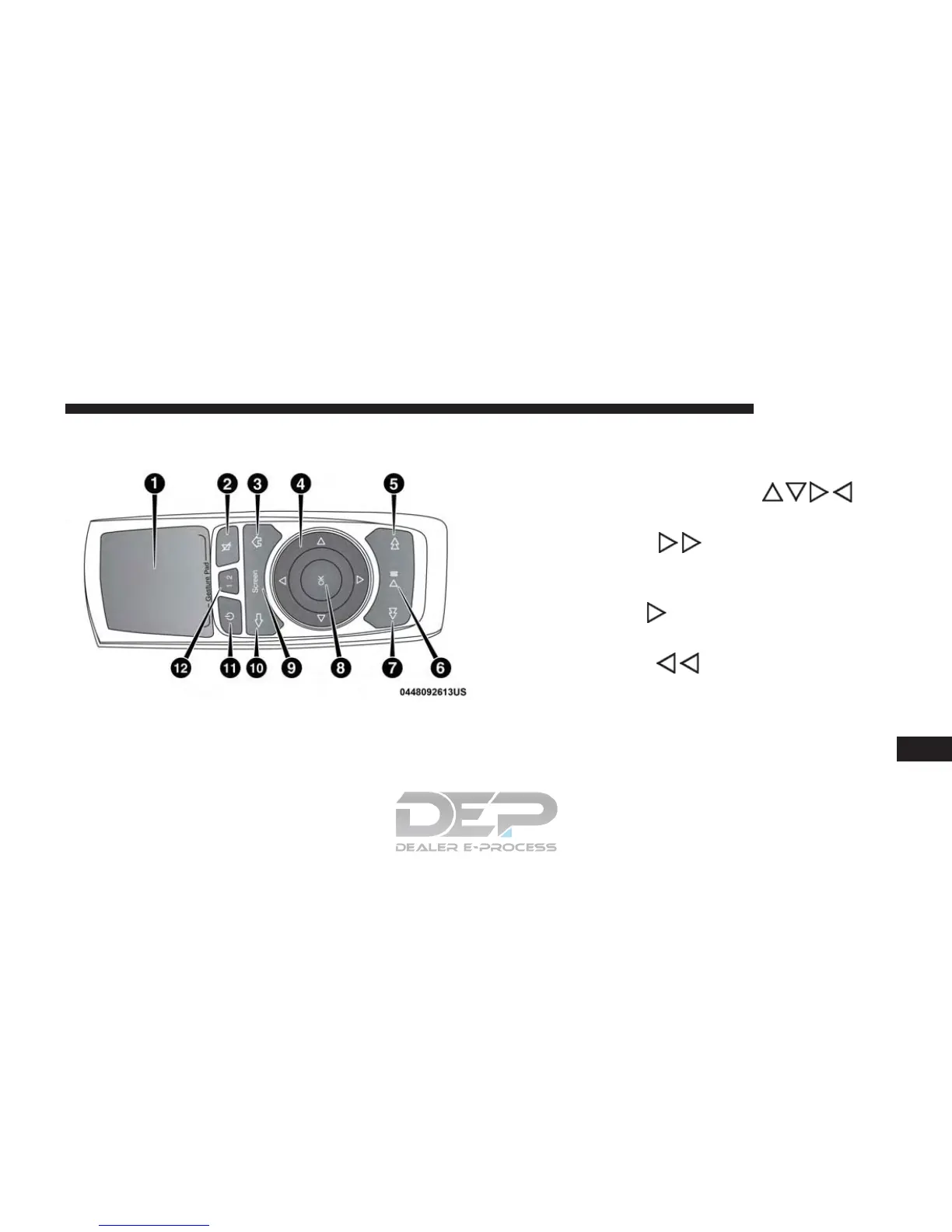
Uconnect Theater Remote Control
1. Gesture Pad — Control mouse pointer position in this
area to move and select items on the touchscreen,
functions similar to a mouse.
2. Mute Button — Mutes headphone audio.
3. Home Button — Push to access “Sources”.
4. Arrow Buttons — Push the arrow
but-
tons to highlight an item or scroll through menus.
5. Fast Forward Button
— Push and hold to fast
forward through the current audio track or video
chapter. Push once to skip to the next track.
6. Play/Pause Button
㥋 — Begin/resume or pause
disc play.
7. Fast Rewind Button
— Push and hold to fast
rewind through the current audio track or video
chapter. Push once to revert back to the previous
track.
8. OK Button — Push to select the highlighted option in
a menu.
Remote Control
10
MULTIMEDIA 753















 To Next Page