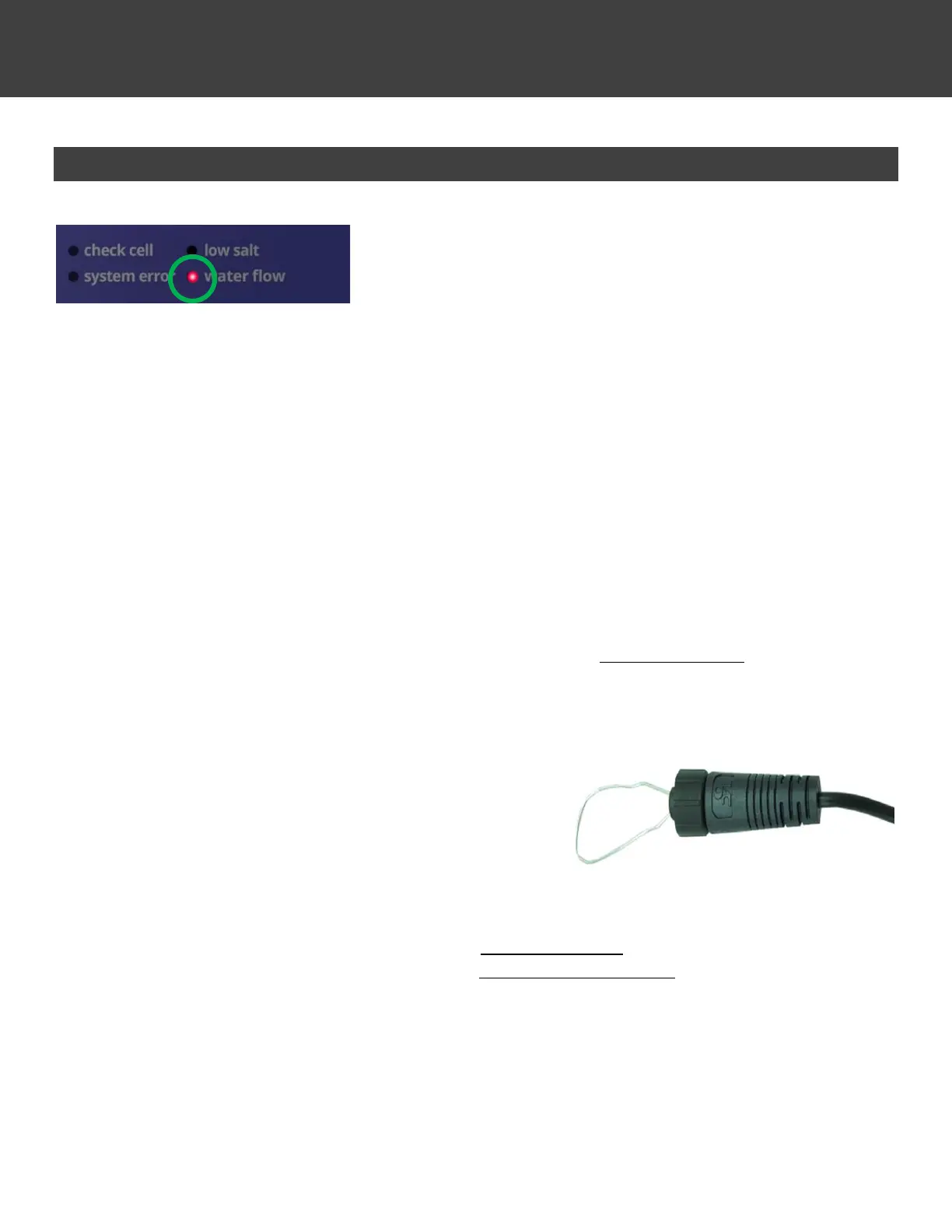
Water Flow – Error Light
This error light typically indicates the Flow Sensor is not being triggered
by water flow. This error light causes the Cell to stop generating
chlorine.
Troubleshooting:
• Verify that there is a proper cable connection between the Control Module and Flow Sensor
• Verify that the pump is on and running.
• Verify that you have proper water flow without a pocket of air in the Cell housing.
• Verify that water flow is sufficient to fully press the Flow Sensor paddle away from its resting center position. In case
you have a variable speed pump, increase flow until the LED turns off.
Additional Troubleshooting (turn off pump and salt system):
• Unscrew the Flow Sensor from the PVC tee-fitting. Make sure the paddle moves back and forth correctly. Does the
paddle move smoothly when pressed or is it stuck? Does it have proper tension to allow the paddle to snap back on
its own to the default position? If stuck, damaged, or if it lacks tension, replace Flow Sensor. If not, reinstall Flow
Sensor into PVC tee-fitting, being sure that the Flow Sensor points in the proper direction once screwed in.
• For further troubleshooting, you will need a small metal wire, paper clip, or other similar object to serve as a “jumper”
to complete the circuit.
• Disconnect the Flow Sensor cable connection to the
Control Module
• Put small jumper wire in the female connector pin
holes on the Control Module’s cable. Make sure the
wire is securely in both sides of the female
connections in order to complete the circuit.
• Turn on pump and salt system to see if the “Water
Flow” LED stays off.
▪ If the “Water Flow” LED remains off, replace Flow Sensor.
▪ If the “Water Flow” LED remains on, replace the Control Module.



 To Next Page