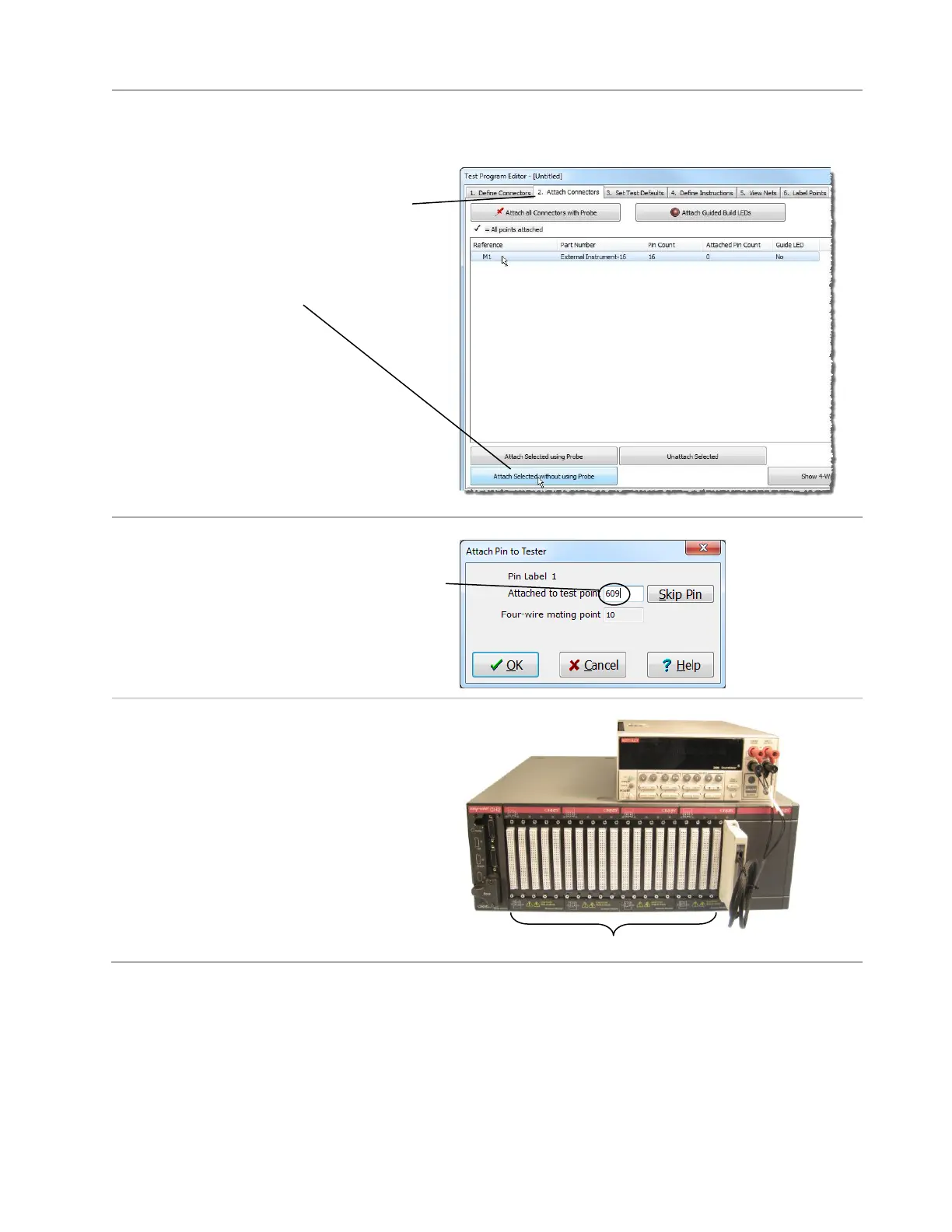
To attach the connector for the external instrument:
1. Open the “Attach Connectors” tab,
select “External Instrument-16” from the
list,
and click Attach Selected without using
Probe.
2. Enter the first system test point for your
external instrument connector. In
example here, the first system point of the
connector is 609. See how we computed
this below.
Example:
There are 19 connectors before the
external instrument connector. Since each
connector contains 32 points, there are
608 (19 x 32) system points before the
connector that is connected to the
external instrument. Therefore in this
example, the first system test point of the
external instrument connector starts on
point 609.



 To Next Page