19
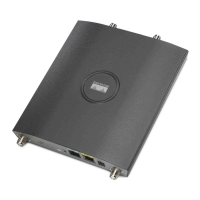
Quick Start Guide Cisco Aironet 1240AG Series Access Point
–
Connect to the access point console port and use a Cisco IOS
command to display the IP address, such as show interface bvi1.
–
Provide your organization’s network administrator with your access
point MAC address. Your network administrator will query the
DHCP server using the MAC address to identify the IP address. The
MAC address is on a label attached to the bottom of the access
point.
–
Use the CLI and serial port to identify the assigned IP address.
Connecting to the Access Point Locally
If you need to configure the access point locally (without connecting it to a
wired LAN), you can connect a PC to its console port by using a DB-9 to
RJ-45 serial cable.
Caution Be careful when handling the access point, the bottom plate
might be hot.
Follow these steps to open the CLI by connecting to the access point console
port:
1. Connect a nine-pin, female DB-9 to RJ-45 serial cable to the RJ-45
console port on the access point and to the COM port on a computer.



 To Next Page
 Loading...