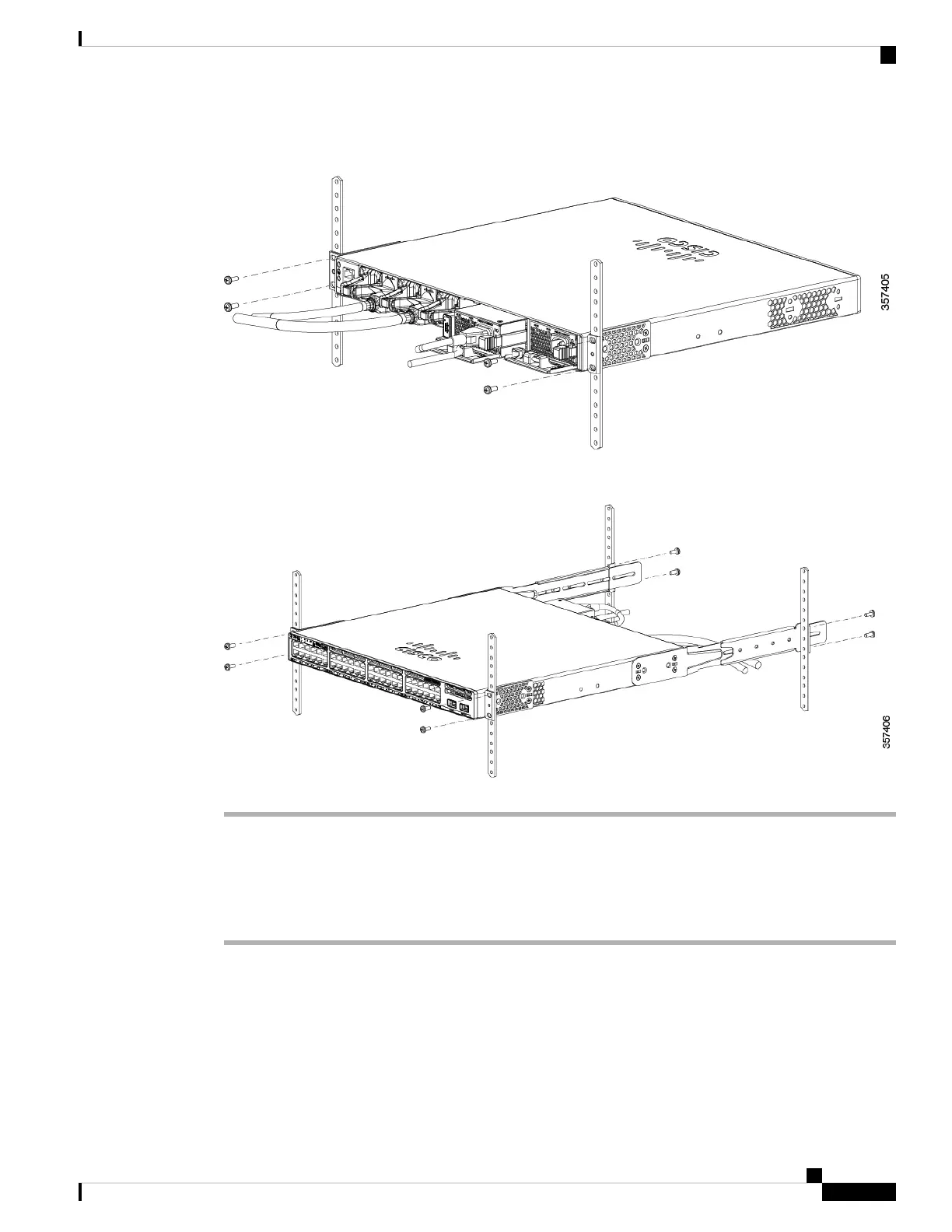
Figure 34: Rear-Mounting Position
Figure 35: Four-Point Mounting Position
Installing the Switch on a Table or Shelf
Procedure
Step 1 To install the switch on a table or shelf, locate the adhesive strip with the rubber feet in the mounting-kit
envelope.
Step 2 Attach the four rubber feet to the four circular etches on the bottom of the chassis.
Step 3 Place the switch on the table or shelf near an AC power source.
Cisco Catalyst 9300 Series Switches Hardware Installation Guide
59
Installing a Switch
Installing the Switch on a Table or Shelf


 To Next Page
 Loading...