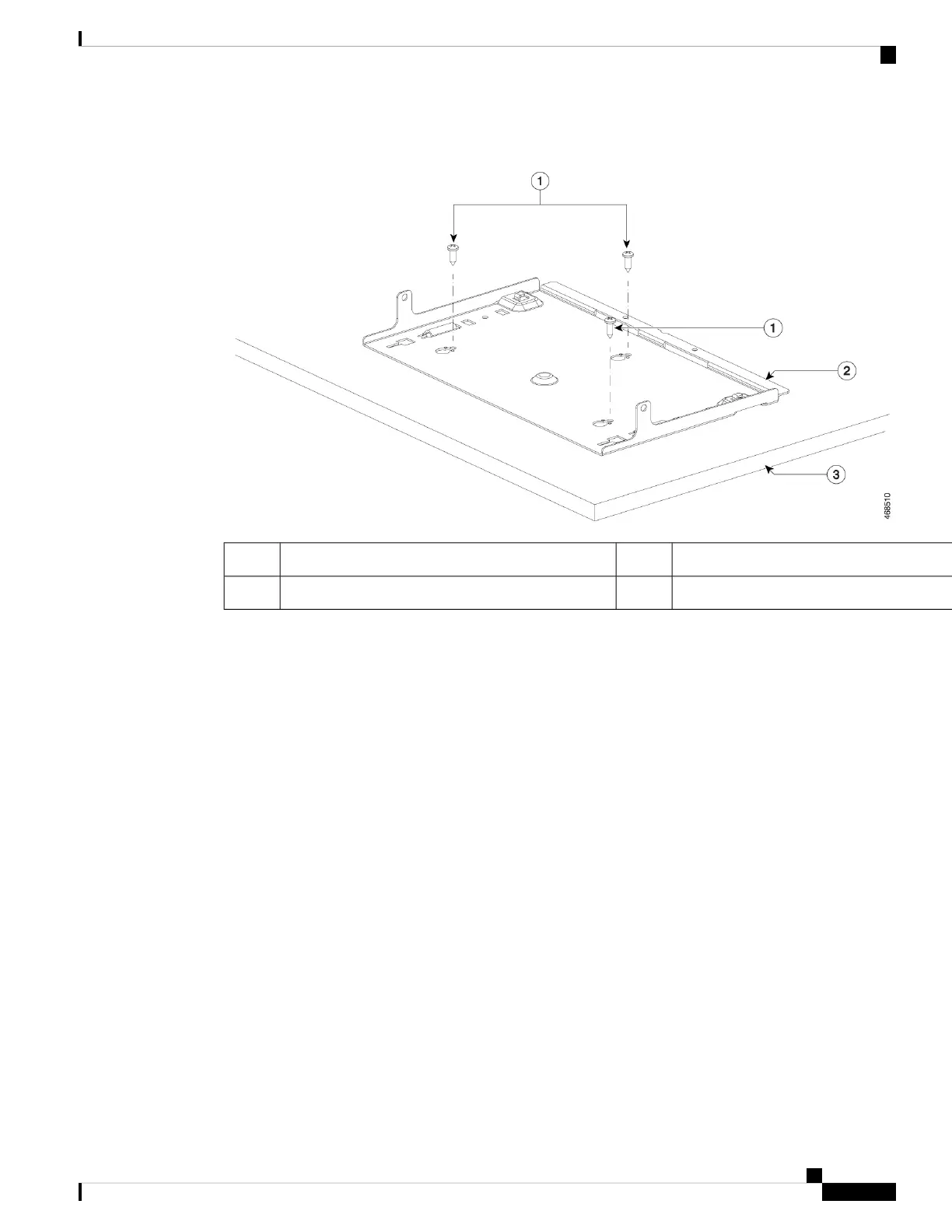
Figure 2: Attaching the Mounting Tray to the Desk or Shelf
Desk3Three 8-18 Phillips pan-head screws1
--Mounting tray2
Step 4 Place the switch on the mounting tray, slide it slightly forward so that the mounting tray hooks on both the
sides engage with the switch.
Installing a Compact Switch
5
Installing a Compact Switch
Mounting using the Mounting Tray and Screws






 To Next Page