Mounting using the Mounting Tray and Screws
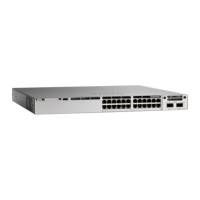
You can use the mounting tray to secure the switch on to a desk or a wall. The illustrations in this procedure
shows how to mount the switch on a desk. You can follow similar procedure to mount the switch on a wall.
Do not wall-mount the switch with its front panel facing up. Following safety regulations, wall-mount the
switch with its front panel facing down or to the side, to allow sufficient airflow and to provide easier access
to the cables.
Caution
To avoid thermal issues, do no use this mounting method for under-table scenarios.
Note
Before you begin
Ensure you have the following items before starting the procedure.
• Mounting tray (C9K-WALL-TRAY)
• Three 8-18 Phillips pan-head screws
• Two 10-32 Phillips pan-head screws
• Screwdriver
Procedure
Step 1 Place the mounting tray on to the mounting surface.
Step 2 Use a 0.144-in. (3.7 mm) or a #27 drill bit to drill three holes, 1/2-inches (12.7 mm) deep in the desk.
Step 3 Insert the three 8-18 Phillips pan-head screws in to the slots on the mounting tray, and tighten them.
Installing a Compact Switch
4
Installing a Compact Switch
Mounting using the Mounting Tray and Screws





 To Next Page