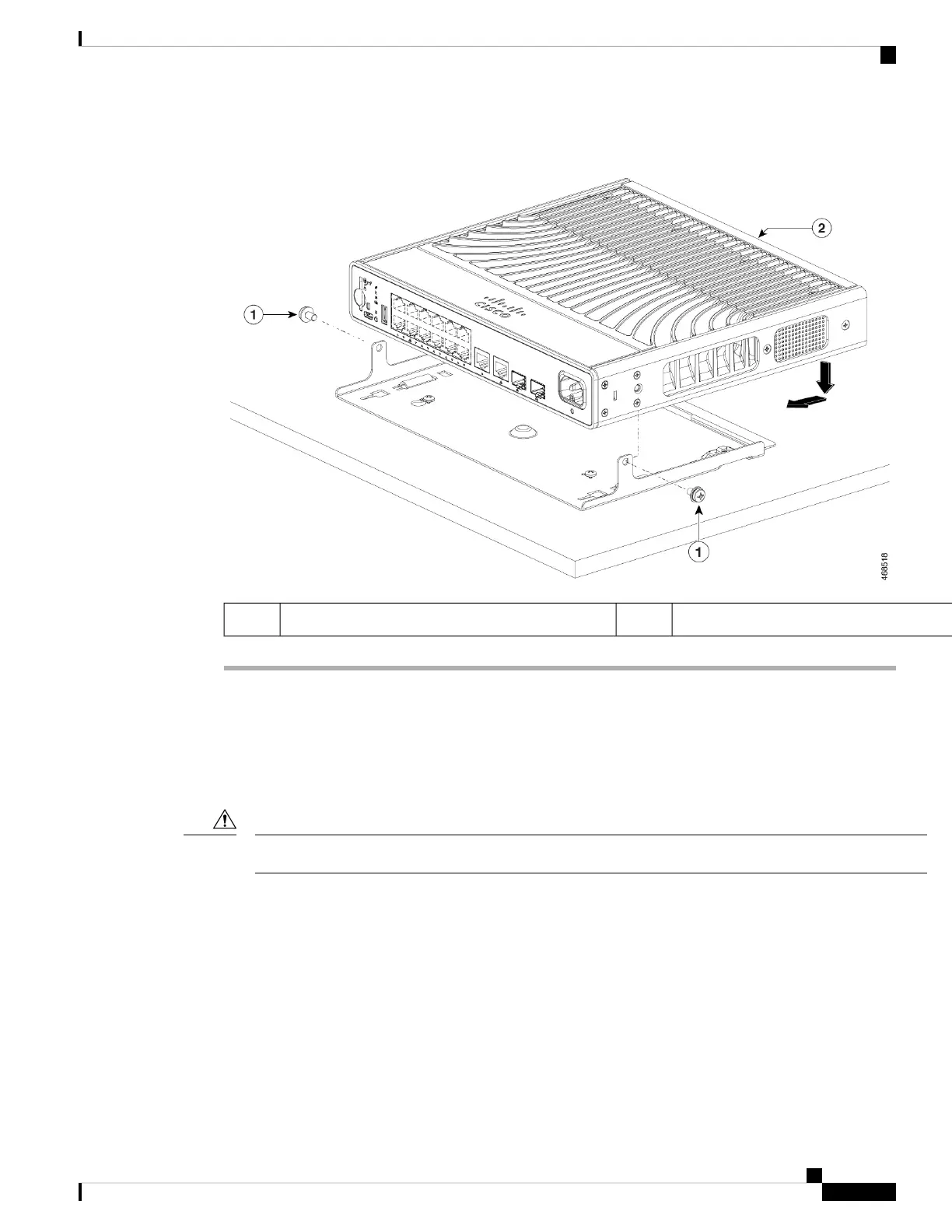
Figure 4: Securing the Switch to the Mounting Tray
Switch2Two 10-32 Phillips pan-head screws1
Mounting using the Mounting Tray and Magnet
This topic explains the steps to use a magnet with the mounting tray to mount the switch on a metal surface.
The illustrations used in the procedure shows how to mount the switch on a metal desk. You can use a similar
procedure to mount the switch on a metal wall or under a metal desk.
Do not use the magnet without a mounting tray.
Caution
Before you begin
Ensure you have the following accessories available.
• Mounting tray and magnet for compact switches (C9K-MGNT-TRAY)
• Two 10-32 Phillips pan-head screws
• Phillips screwdriver
Installing a Compact Switch
7
Installing a Compact Switch
Mounting using the Mounting Tray and Magnet





 To Next Page