Tools Required:
1) Electric Powered Hand Drill
2) Drill Bit (Use Correct Drill Bit for Wood / Concrete)
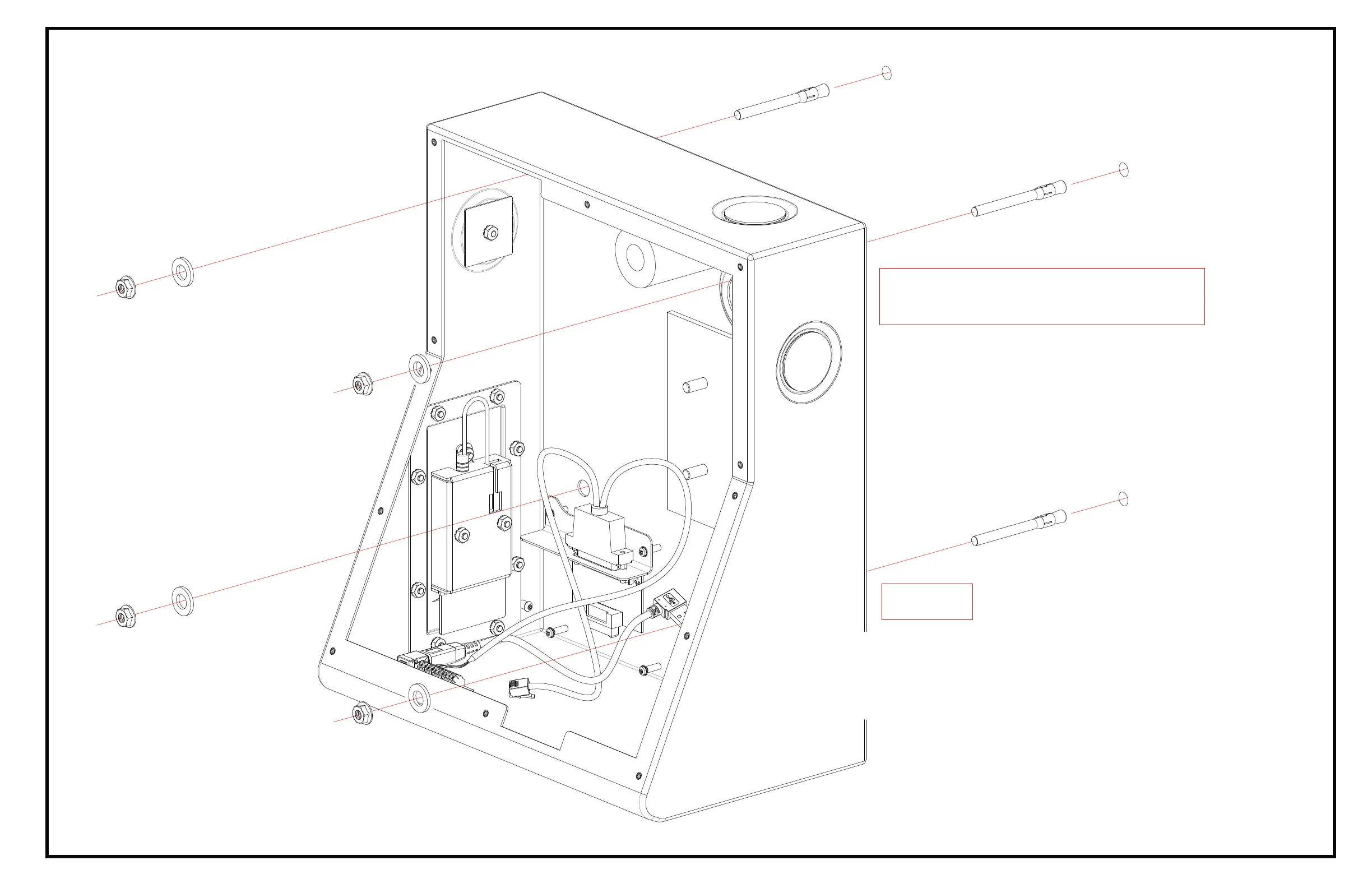
Mount the Backbox Assembly
to the Wall
A) Prepare Hole on Drywall (with Stud Behind) / Concrete
B) Insert Stud Anchors in to Holes
C) Align then Place Backbox Assembly Mounting Holes to Studs Anchors
Steps
Figure Shown Typical Installation:
3) Leveler
4) Torque Wrench, Wrench and Socket
D) Tighten Washers and Nuts that included with Stud Anchors
E) Torque to Stud Anchors Manufacturer's Recommended ft./lbs.



 To Next Page