Cisco IP Phone Configuration Guides
www.yeastar.com Page 10
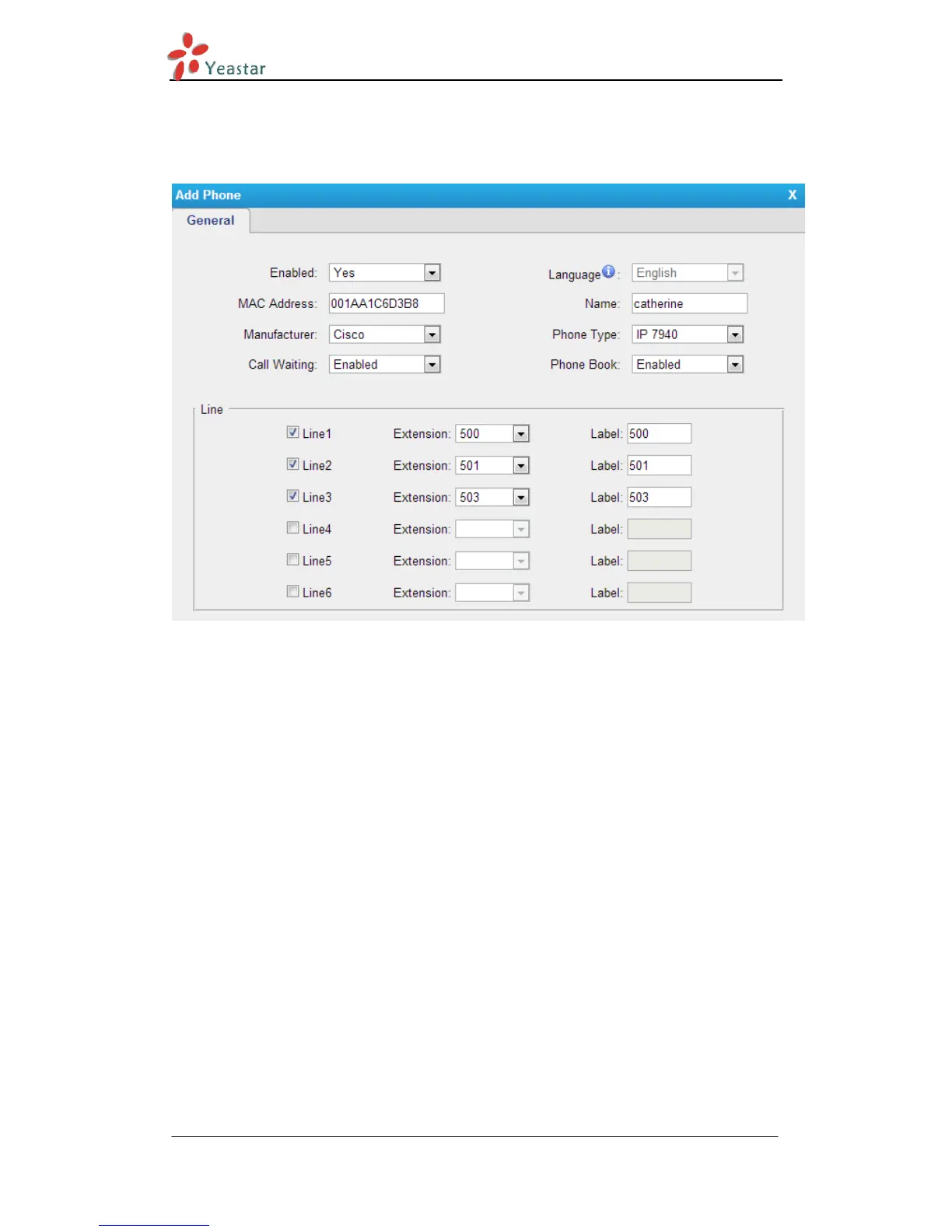
2) Fill in the phone detail message on the pop-up window.
Input IP Phone’s MAC address, configure Name, Call waiting, Line, Extension,
Label, Line active for the phone.
Figure 3-4
3) Save it and apply the changes on web.








 To Next Page