9
Chapter 3: Driver Installation for the Compact USB 2.0 10/100 Network Adapter
Driver Installation for Windows 2000
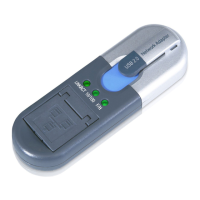
Compact USB 2.0 10/100 Network Adapter
5. In the Copy manufacturer’s files from: field, enter D:\win2000. Then click the OK button.
6. The Driver Files Search Results screen will appear. Click the Next button.
7. For Windows 2000, you may be informed that a digital signature has not been found. This is normal, and it
has been verified that the Adapter does work with Windows 2000. Click the Yes button to continue.
8. The Completing the Found New Hardware Wizard screen will appear. Click the Finish button, and remove the
Driver CD from the CD-ROM drive.
Congratulations! The installation of the Compact USB 2.0 10/100 Network Adapter is complete.
For more information about networking under Windows 2000, refer to your Microsoft Windows 2000
documentation.
Figure 3-7: Ready to Install Driver
Figure 3-8: Digital Signature


 To Next Page
 Loading...