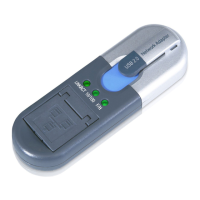
Compact USB 2.0 10/100 Network Adapter
List of Figures
Figure 2-1: Ports and LEDs 3
Figure 3-1: Welcome 6
Figure 3-2: Choose your Search and Installation Options 6
Figure 3-3: Windows Logo Testing 7
Figure 3-4: Installation Complete 7
Figure 3-5: Install Hardware Device Drivers 8
Figure 3-6: Locate Driver Files 8
Figure 3-7: Ready to Install Driver 9
Figure 3-8: Digital Signature 9
Figure 3-9: Hardware Found 10
Figure 3-10: Specify a Location 10
Figure 3-11: Ready to Install Driver 11
Figure 3-12: Installation Complete 11
Figure 3-13: Network Screen 12
Figure 3-14: File and Printer Sharing 12
Figure 3-15: Indentification Tab 13
Figure 3-16: Access Control Tab 13
Figure 3-17: Search for Driver 15
Figure 3-18: Specify a Location 15
Figure 3-19: Ready to Install Driver 16
Figure 3-20: Installation Complete 16
Figure 3-21: Configuration Tab 17
Figure 3-22: File and Print Sharing 17
Figure 3-23: Configuration Tab 18
Figure 3-24: Access Control Tab 18
Figure 3-25: Access Control Tab 19

 To Next Page
 Loading...