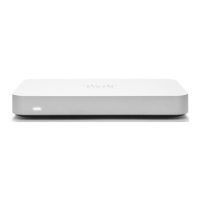
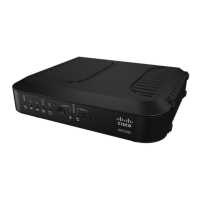
about creating, configuring and managing Meraki networks, refer to our Managing Dashboard Networks document.
Additional resources can also be found via: documentation.meraki.com.
1. Login to http://dashboard.meraki.com. If this is your first time, create a new account.
2. Find the network to which you plan to add your Z3/Z3C or create a new network.
3. Add your Z3/Z3C to your network. You will need your Meraki order number (found on your invoice) or the serial
number of each Z3/Z3C, which looks like Qxxx-xxxx-xxxx, and is found on the bottom of the unit. You will also
need your Enterprise license key, which you should have received via email.
4. Go to the map / floor plan view and place each Z3/Z3C on the map by clicking and dragging it to the location
where you plan to mount it.
Check and Set Firmware
To ensure your Z3/Z3C performs optimally immediately following installation, it is recommended that you facilitate a
firmware upgrade prior to mounting your Z3/Z3C.
1. Attach your Z3/Z3C to power and a wired Internet connection.
2. The Z3/Z3C will turn on and the power LED will glow solid orange.
3. If the unit requires an upgrade, the power LED will begin blinking white until the upgrade is complete, at which
point the LED will turn solid white. You should allow at least a few minutes for the firmware upgrade to complete,
depending on the speed of your internet connection.
Check and Configure Upstream Firewall Settings
If an upstream firewall is already in place, it must allow outgoing connections on particular ports to particular IP
addresses. The most current list of outbound ports and IP addresses for your particular organization can be found on the
firewall configuration page in your dashboard.
Installation Instructions
Mounting Hardware
The supplied wall screws and anchors allow you to mount the appliance on a drywall surface, either vertically or
horizontally. The distance between the holes you drill should be 5-1/8 inches (13 cm).
• For mounting on drywall, use a ¼-in drill bit, then insert the plastic and screw assemblies.
• For mounting on wood or a similar surface, use only the screws.
• Allow the heads of the screws to stick out far enough to be inserted securely into the back of the appliance.
10


 To Next Page
 Loading...