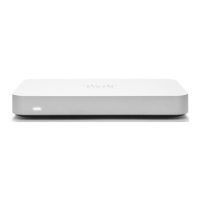
Connecting to WAN
All Meraki Z3/Z3C devices must have an IP address. This section describes how to configure your local area network
before you deploy it. A local management web service, running on the appliance, is accessed through a browser running
on a client PC. This web service is used for configuring and monitoring basic ISP/WAN connectivity.
Setting up a Static IP Address
To ensure that the client PC is redirected to the local web service in the following step, you must disable all other
network services (ex: wi-fi) on your client machine.
Do the following to configure basic connectivity and other networking parameters:
1. Using a client machine such as a laptop, connect to one of the LAN ports of the Z3/Z3C.
2. Using a browser on the client machine, access the appliance's built-in web service by browsing to
http://setup.meraki.com. (You do not have to be connected to the Internet to reach this address)
3. Click Uplink configuration under the Local status tab. The default credentials use the device serial number as
the username, with a blank password field.
4. Choose Static for the IP Assignment option.
5. Enter the IP address, subnet mask, default gateway IP and DNS server information.
Setting up a DHCP IP Address
By default all Z3/Z3C devices are configured to DHCP from upstream WAN / ISP servers. Simply plug the Z3/Z3C's
WAN / Internet port to your upstream circuit and wait a few minutes for the unit to negotiate a DHCP address.
When the WAN connection is fully enabled, Internet LED 1 will turn green.
Setting up Cellular Failover
The Z3C has an embedded LTE module for cellular failover connections. The following section will walk through first-
time set-up of an Z3C with an internet connection as a primary connection and cellular as failover.
Note that the IMEI cannot yet be found on the Meraki dashboard, only on the physical label of the device. The IMEI of
the Z3Cs with embedded LTE, as well as the serial number and MAC address, can be found on the product label at the
bottom of cellular-embedded Z3C devices.
To set up the cellular failover connection, follow the steps below:
1. Power off the Z3C. Swapping/installing SIM cards while the Z3C is powered on may cause unexpected behavior or
error.
11


 To Next Page
 Loading...