2-10
Cisco Video Surveillance PTZ IP Camera Installation Guide
OL-28954-01
Chapter 2 Installing the Camera
Installing the PTZ IP Camera
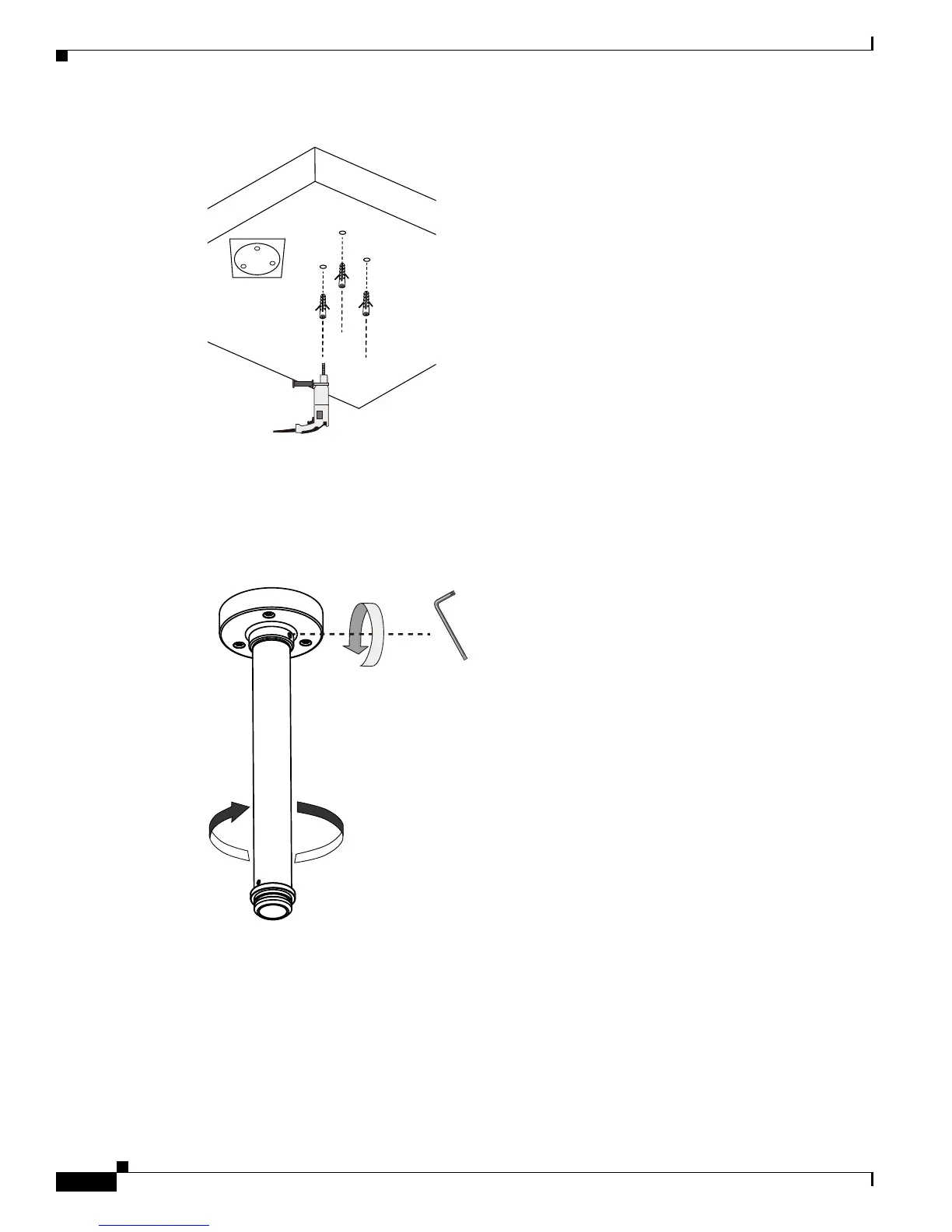
Step 2 Attach the pendant pipe to the pendant head by turning the pipe clockwise.
Step 3 Secure the connection using a 3mm hex wrench.
Step 4 Route power lines and other wires through the pendant head. You may apply a 1 inch conduit.
Step 5 Secure the pendant head to the ceiling by using the M6.2 x75mm screws.
347708













 To Next Page