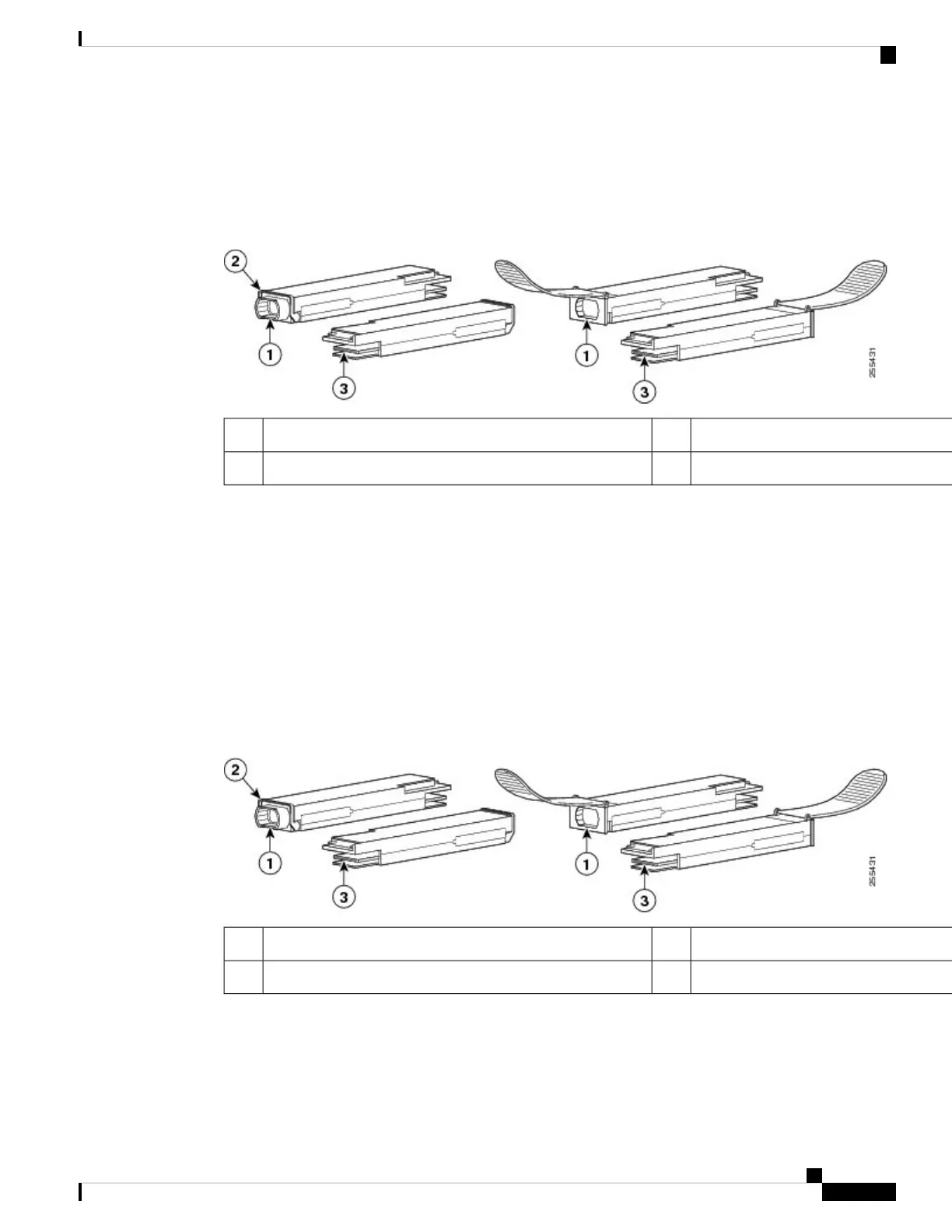
The following figure shows the 40-Gigabit optical QSFP+ transceiver. The transceiver is used primarily in
short reach applications in switches, routers, and data center equipment where it provides higher density than
SFP+ modules. The 100-Gigabit optical QSFP28 transceiver is similar to the 40-Gigabit optical QSFP
transceiver.
Figure 10: 40-Gigabit QSFP+ Transceiver Module (Optical)
Electrical connection to the module circuitry340GBASE QSFP+ transceiver body1
Bail-clasp latch2
Overview
The 40-Gigabit (GE) QSFP+ and 100 Gigabit (QSFP28) transceiver module is a hot-swappable, parallel
fiber-optical module with 4 independent optical transmit and receive channels. These channels can terminate
in another 40-Gigabit QSFP+ transceiver, or the channels can be broken out to 4 separate 10-Gigabit SFP+
transceivers. The QSFP+ transceiver module connects the electrical circuitry of the system with an optical
external network.
The following figure shows the 40-Gigabit optical QSFP+ transceiver. The transceiver is used primarily in
short reach applications in switches, routers, and data center equipment where it provides higher density than
SFP+ modules. The 100-Gigabit optical QSFP28 transceiver is similar to the 40-Gigabit optical QSFP
transceiver.
Figure 11: 40-Gigabit QSFP+ Transceiver Module (Optical)
Electrical connection to the module circuitry340GBASE QSFP+ transceiver body1
Bail-clasp latch2
Required Tools and Equipment
You need these tools to install the 40-Gigabit QSFP+ / 100-Gigabit QSFP28 transceiver modules:
• Wrist strap or other personal grounding device to prevent ESD occurrences.
Connect Router to the Network
15
Connect Router to the Network
Overview




 To Next Page