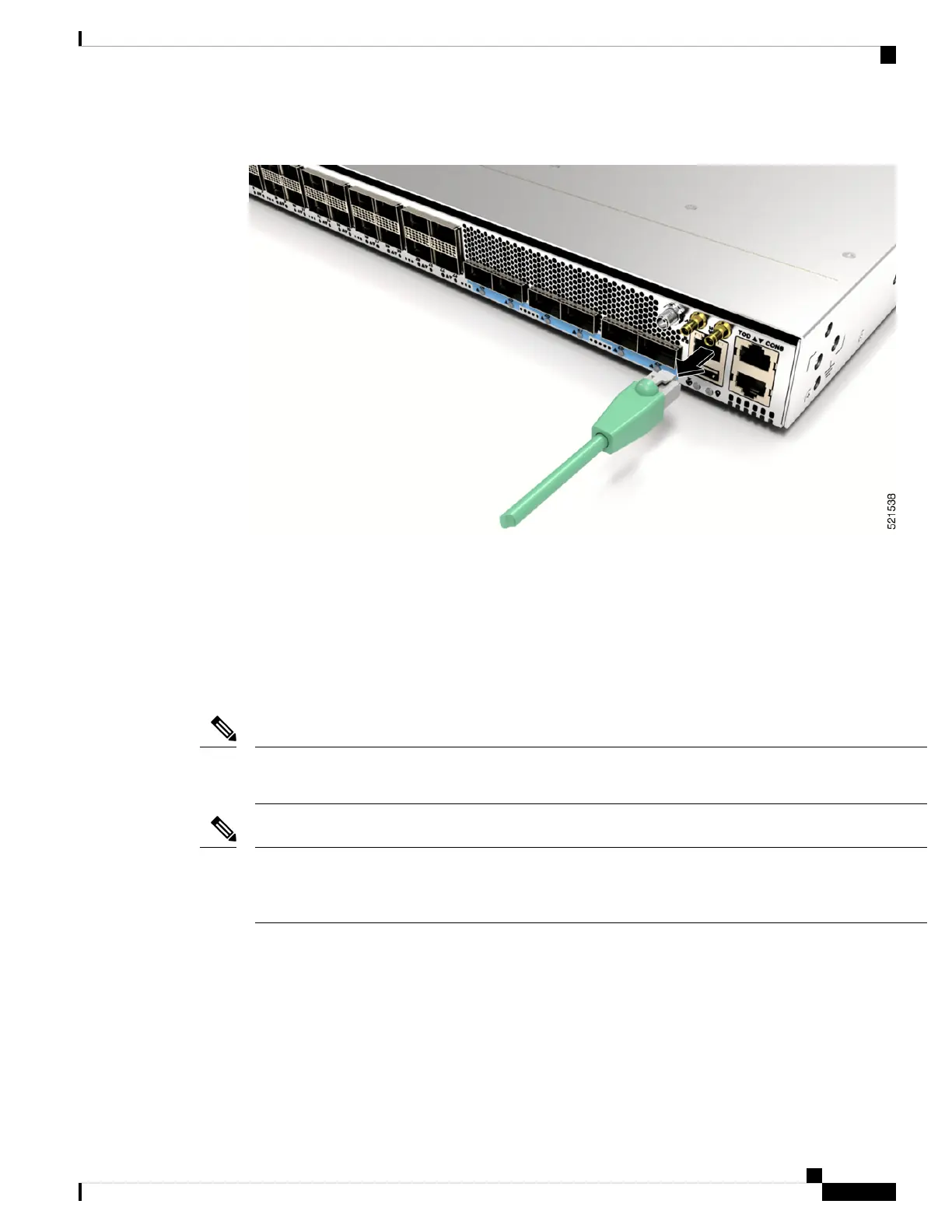
Figure 2: Remove RJ-45 Cable from the Jack
Install and Remove Transceiver Modules
Install and Remove SFP28 and SFP+ Modules
Before you remove or install an SFP28 or SFP+ module, read the installation information in this section.
The Cisco NCS 57B1 router has only QSFP-DD sockets, therefore you need QSA module (QSFP to SFP+
Adapter) CVR-QSFP-SFP10G to support SFP+ module.
Note
The Cisco NCS-57C3-MOD router has three rows of SFP28 ports. In the top row, install SFP28 transceivers
with the electrical connectors on the bottom. In the two bottom rows, install SFP28 transceivers with the
electrical connectors on the top.
Note
Connect Router to the Network
7
Connect Router to the Network
Install and Remove Transceiver Modules








 To Next Page