Accessing RJ-45 Cable
The RJ-45 cable is available on the Management port. To access the RJ-45 cable, perform the following steps:
When the router is fully operational, all ports are populated with cables. It becomes difficult to access the
RJ-45 cable using bare hands. Hence the below procedure is recommended to remove RJ-45 cable from the
management port.
Note
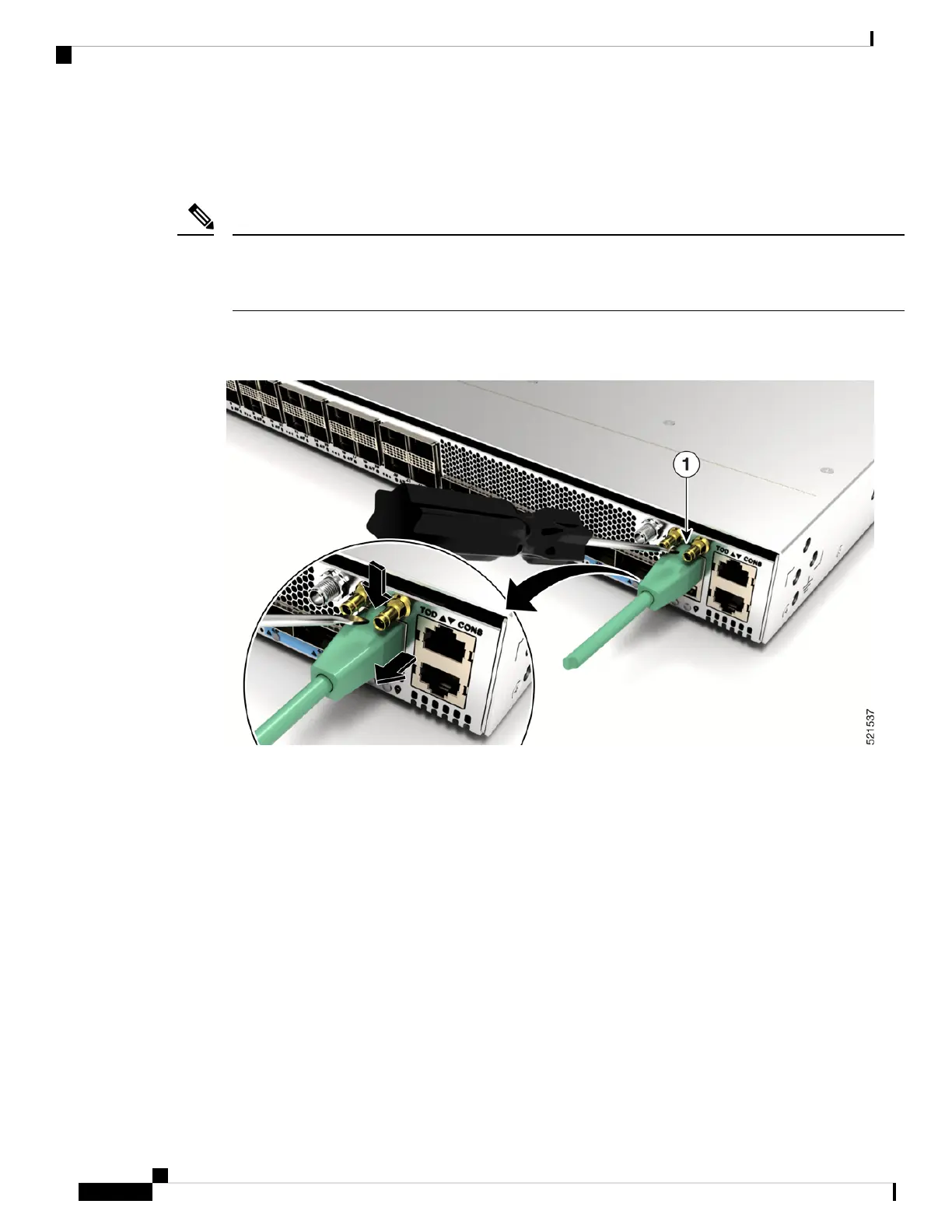
1. Insert the Philips flat-head screwdriver in between the timing ports.
Figure 1: Inserting a screwdriver between the timing ports
2. Press the clip on the RJ-45 jack downwards and pull the RJ-45 jack from the port. This releases the RJ-45
cable from the port.
Connect Router to the Network
6
Connect Router to the Network
Accessing RJ-45 Cable








 To Next Page