CHAPTER
1-1
Cisco 831 Router and SOHO 91 Router Hardware Installation Guide
78-14784-02
1
Product Overview
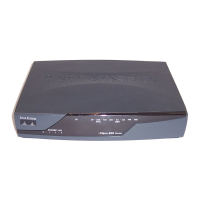
The Cisco 831 router and Cisco SOHO 91 Ethernet-to-Ethernet routers can
connect a corporate telecommuter or small office to an Internet service provider
(ISP) over a broadband or Ethernet connection to the following sites:
• Corporate LANs
• The Internet
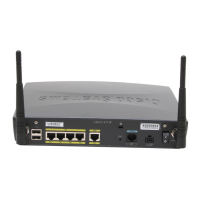
The Cisco 831 and SOHO 91 routers are switch-capable routers that provide a
4-port Ethernet switch for the LAN. The routers are capable of bridging and
multiprotocol routing between LAN and WAN ports.
Cisco 831 and SOHO 91 routers support high-speed encryption, 10/100-Mbps
switching, and dial backup functionality via the auxiliary console port. The
autosensing function in the routers eliminates the need for a crossover cable and
allows the routers to detect the medium dependent interface in normal mode
(MDI) or medium dependent interface in crossover mode (MDIX) in any other
PC/hub with a straight-through cable or crossover cable.
The dial backup function allows the user to connect an analog modem to the
console port as a backup link to the WAN in case the ADSL service goes down.
These features give the Cisco 831 and SOHO 91 routers a high level of
performance and security.
The Cisco 831 router is designed with hardware-based encryption, while the
Cisco SOHO 91 supports software-based encryption. The Cisco 831 router
supports the ability to add Flash memory or SDRAM, either as a factory upgrade
or a field-installed option. The SOHO 91 router has a fixed memory configuration.



 To Next Page
 Loading...