1-5
Cisco 831 Router and SOHO 91 Router Hardware Installation Guide
78-14784-02
Chapter 1 Product Overview
Router Overview
LED Functions
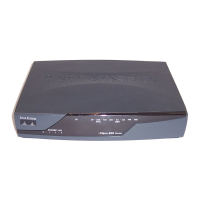
Table 1-3 summarizes the functions of the LEDs on the routers.
Table 1-3 Functions of LEDs on the Cisco 831 Router and SOHO 91 Router
LED Color Function
PWR_OK
Green On when DC power is being supplied to the router. The light blinks if an error
occurs during boot-up.
WAN_LED_OK
Green On when WAN Ethernet carrier detects status and connects to the digital
subscriber line access multiplexer (DSLAM) successfully.
WAN_LED_RxD
Green Blinks when WAN Ethernet receives data.
WAN_LED_TxD
Green Blinks when WAN Ethernet transmits data. Off when no data is being
uploaded.
E1 (port 1 of
built-in switch)
Status
Green On when Ethernet 1 connects to the Ethernet interface successfully. Blinks
when Ethernet 1 receives or sends data, or when data passes through
Ethernet 1.
E2 (port 1 of
built-in switch)
Status
Green On when Ethernet 2 connects to the Ethernet interface successfully. Blinks
when Ethernet 2 receives or sends data, or when data passes through
Ethernet 2.
E3 (port 1 of
built-in switch)
Status
Green On when Ethernet 3 connects to the Ethernet interface successfully. Blinks
when Ethernet 3 receives or sends data, or when data passes through
Ethernet 3.
E4 (port 1 of
built-in switch)
Status
Green On when Ethernet 4 connects to the Ethernet interface successfully. Blinks
when Ethernet 4 receives or sends data, or when data passes through
Ethernet 4.
LAN_RxD
Green Blinks when built-in Ethernet switch receives data from the WAN port.
LAN_TxD
Green Blinks when built-in Ethernet switch transmits data to the WAN port.



 To Next Page
 Loading...