Chapter 2 Installation
Installing the Router
2-10
Cisco 831 Router and SOHO 91 Router Hardware Installation Guide
78-14784-02
Connecting to the Internet
You can use an installed broadband modem to connect to the Internet.
Connecting a Broadband Modem
To connect to an installed DSL, cable, or long-reach Ethernet modem, follow the
steps given after Figure 2-3. (Figure 2-3 shows a Cisco 831 router, but it also
applies to a SOHO 91 router. The connection procedure applies to both the
Cisco 831 router and the SOHO 91 router.)
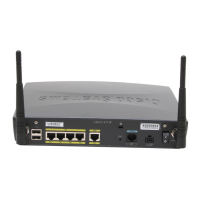
Figure 2-3 Connecting to a Broadband Modem
Perform the following steps to connect the router to an installed DSL, cable, or
long-reach Ethernet modem:
Step 1 Connect one end of the yellow cable to the router’s Ethernet Internet port.
1 Cisco 831 router’s Ethernet
Internet port
2 An available port on the modem
4
3
2
1
Cisco 831
+
18
V
D
C
C
O
N
S
O
LE
W
A
N
A
C
T
I
V
I
T
Y
E
T
H
E
R
N
E
T
P
O
W
E
R
C
i
s
c
o
5
7
5
-
L
R
E
1
2
82016
ETH
ERN
ET 10BA
SET C
O
M
PU
TER
S (E0)
ETH
ER
N
ET 10BAS
ET
IN
TER
N
ET (E1)
O
N
OFF



 To Next Page
 Loading...