-Serial port (RJ-45 connector)6
Status LEDs and Buttons
This section contains information for interpreting front, rear, and internal LED states.
Front Panel LEDs
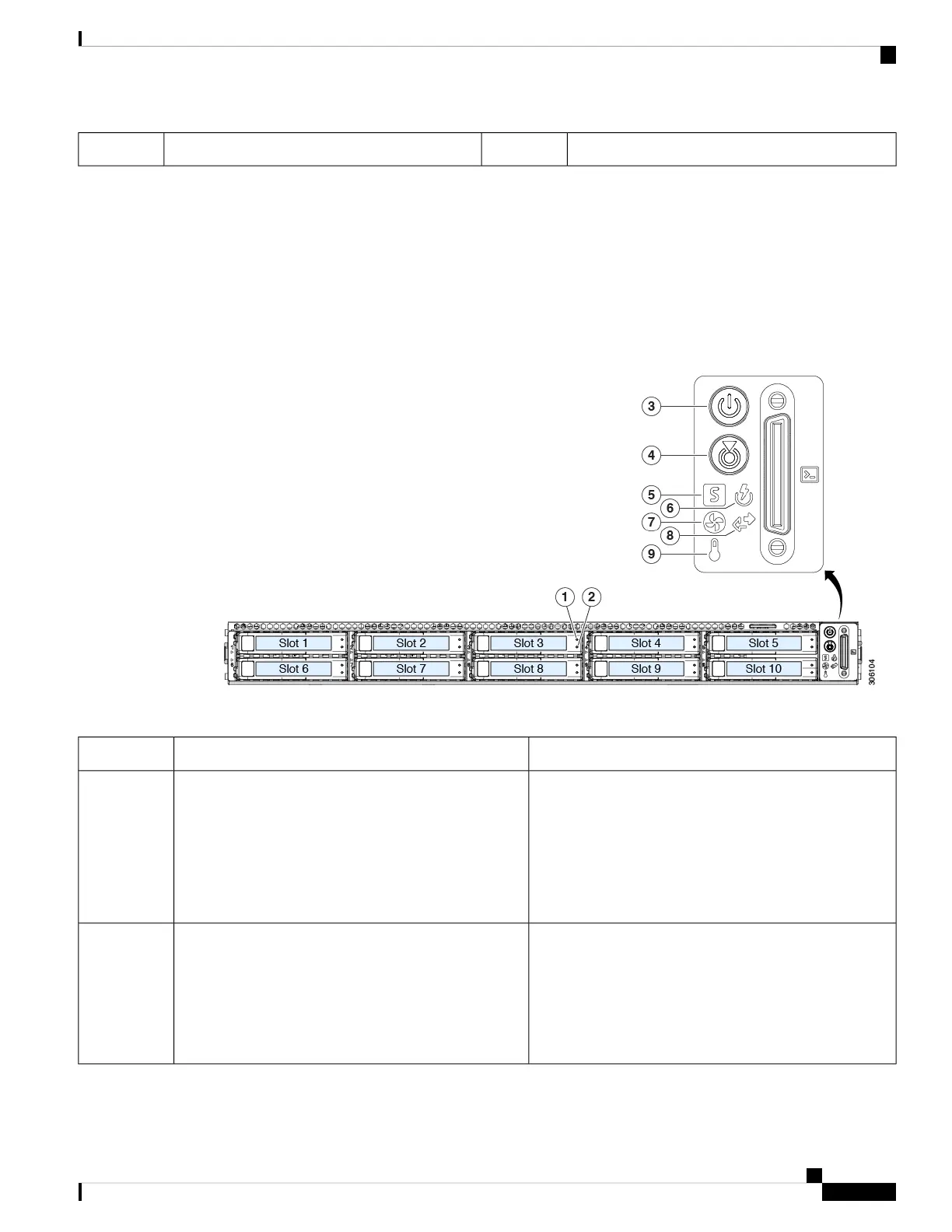
The following figure shows the front panel LEDs of Cisco SNS 3600 series appliance.
Figure 3: Front Panel LEDs
Table 2: Front Panel LEDs
StatesLED Name
• Off—The hard drive is operating properly.
• Amber—Drive fault detected.
• Amber, blinking—The device is rebuilding.
• Amber, blinking with one-second interval—Drive
locate function activated in the software.
SAS/SATA drive fault
NVMe SSD drive tray LEDs have different
behavior than SAS/SATA drive trays.
Note
1
SAS
• Off—There is no hard drive in the hard drive tray (no
access, no fault).
• Green—The hard drive is ready.
• Green, blinking—The hard drive is reading or writing
data.
SAS/SATA drive activity LED2
SAS
Cisco Secure Network Server 3600 Series Appliance Hardware Installation Guide
5
Cisco Secure Network Server 3600 Series Appliance Overview
Status LEDs and Buttons










 To Next Page