Need help?
Do you have a question about the Cisco SG350-28MP and is the answer not in the manual?
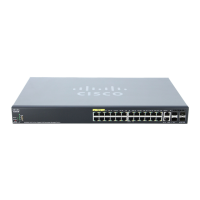
How to connect network devices to the switch using Ethernet cables and understanding port activity.
Step-by-step guide to accessing and configuring the switch using its web-based interface.
Detailed instructions for configuring the switch using the console port and a terminal emulation program.
Instructions on how to reset the switch to its factory default settings using the reset button.
Steps for testing network connectivity and resolving common connection problems.
 General
| Model | SG350-28MP |
|---|---|
| Total System Ports | 28 |
| PoE Ports | 24 |
| Switching Capacity | 56 Gbps |
| DRAM | 512 MB |
| Flash Memory | 256 MB |
| Form Factor | Rack-mountable |
| VLAN Support | Yes |
| Quality of Service (QoS) | Yes |
| Security Features | ACLs, 802.1X, Port Security |
| Power Supply | Internal |
| MAC Address Table Size | 16K entries |
| Jumbo Frame | 9216 bytes |
| CPU | 800 MHz |
| Layer | Layer 2/Layer 3 |
| Layer 3 Features | Static routing, RIP |
| Management | Web GUI, CLI, SNMP |
| Dimensions | 440 x 257 x 44 mm (17.3 x 10.1 x 1.73 in) |
| Operating Temperature | 32°F to 113°F (0°C to 45°C) |
| Combo Ports (RJ45 + SFP) | 2 combo ports |
| SFP Slots | 2 SFP slots |


 To Next Page