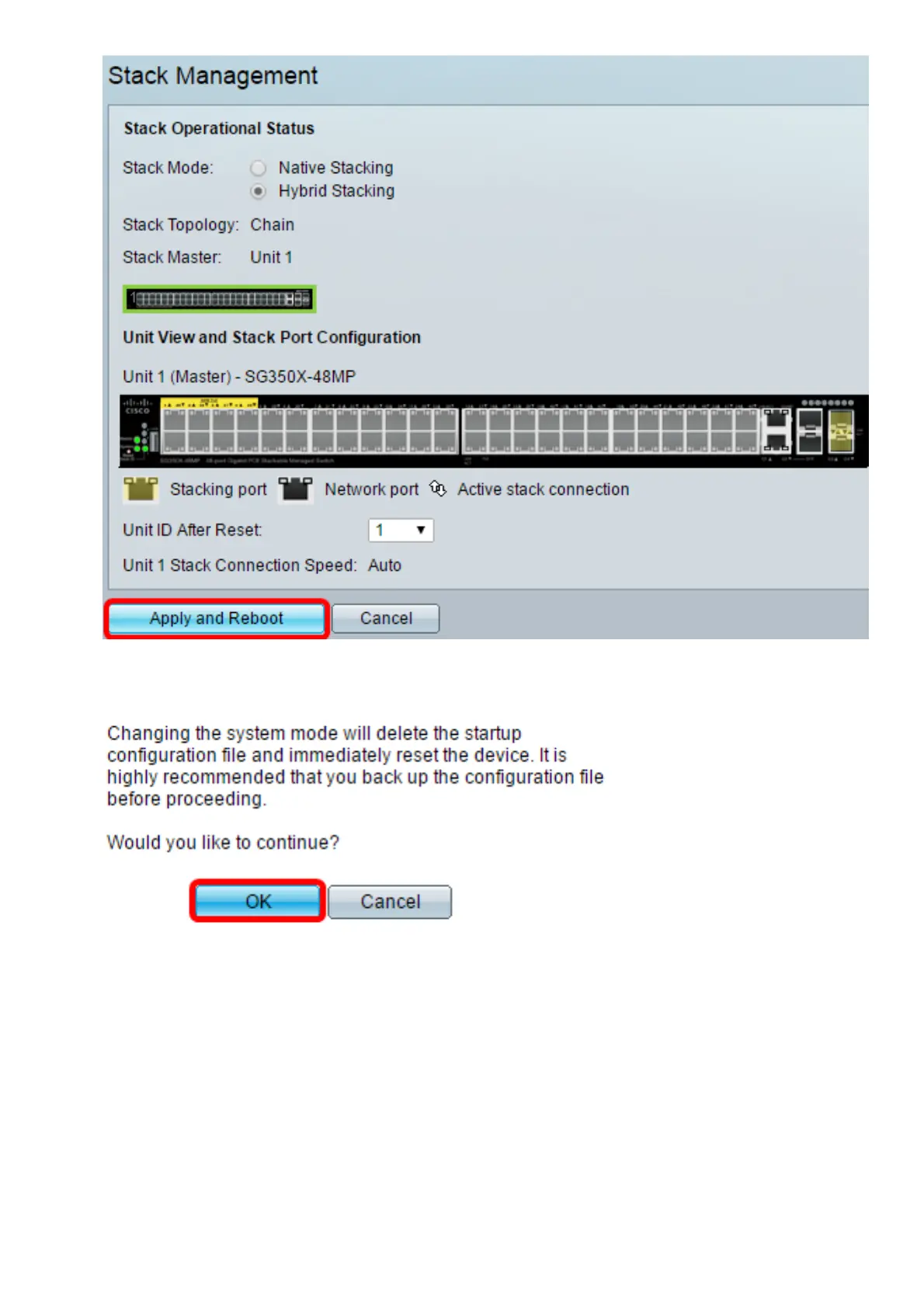
Step 6. Once prompted by the popup message, click OK. The settings are copied to the
running configuration file and the stack is rebooted.
Step 7. Log in to the web-based utility of your switch.
Note: You will be required to configure new password for better protection of your network.
Step 8. Enter the user password of the switch in the Old Password field.



 To Next Page